• Skip to primary navigation
  • Skip to main content
software stack logo

Software Stack

Get your Software Stack together

  • Knowledgebase
    • All Categories
    • Accounting Software
    • Automation & Workflow Software
    • Customer Relationship Management
    • E-Commerce Shopfronts & Payments
    • Marketing Automation
    • Online Courses & Membership
    • Project Management
    • Surveys & Forms
    • Web Hosting
  • Home
  • About Us
  • Contact Us
  • Show Search
Hide Search

Software Stack Editor

From Pantry Staple To Premium Brand: Bold Bean Co’s Recipe for 250% Growth (2025)

Software Stack Editor · October 23, 2025 ·

A can of beans never seemed like something to brag about. But Amelia Christie-Miller, the founder of Bold Bean Co, knew it was time to rewrite the story of the British breakfast staple. The London-based brand is redefining beans as a crave-worthy, premium ingredient—with clear-jar packaging, bestselling cookbooks, and content that’s as flavorful as its product.

From 2021 to 2024, Bold Bean Co grew 250%. It also won shelf space across the UK and landed on a reality competition show.

Here, Amelia explains how she’s reshaped public perception of beans, built a cult following through storytelling, and scaled a purpose-driven remote team. Bold Bean Co’s story offers actionable lessons any founder can apply.


   
Jars of beans on a shelf
Bold Bean Co’s clear jars showcase their size, texture, and color while turning an everyday ingredient into something worth displaying. Bold Bean Co

Making an everyday staple into a premium obsession

Amelia launched Bold Bean Co to change minds. She knew that beans, with their variety, their flexibility, their flavor, and their nutrition profile, deserved more respect than they were given in the culinary landscape. Her aha moment came while studying in Madrid. “I was hung over and all I had was a jar of these beautifully cooked butter beans,” she recalls. “It completely changed my mind about what beans could taste like.”

Amelia brought that revelation home to the UK, sourcing the same premium Spanish beans and preserving them in glass—the same way they’re prepared in Spain. The result was a product that challenged every stereotype of the dull pantry staple. Shoppers could literally see the quality through the jar.

By focusing on flavor and presentation rather than only on health claims, Amelia made beans aspirational. “People talk about spending £3.25 pounds on a jar of beans,” she says. The reaction to the premium pricing, she adds, is often one of amusement—proof that something as ordinary as beans can spark genuine excitement when given the care and storytelling once reserved for luxury goods.

That shift speaks to a broader truth about innovation. Sometimes the most powerful ideas come not from inventing something new, but from reintroducing the familiar in a way that captures curiosity and imagination.

Turning content into community and community into customers

From day one, Amelia shared Bold Bean’s journey on Instagram, not as a marketing tactic, but as a desire to connect. “Part of me sharing it was around navigating the loneliness of starting a business,” she says. “But consumers are crying out for humanity behind brands.”

That openness became the foundation of the brand’s media strategy. Instead of bombarding followers with product shots, Bold Bean Co gives something back: cooking videos and hundreds of free recipes on its website. “My view has always been we need to give back to our community, not sell to them,” Amelia says. Those recipes now drive significant site traffic and act as soft conversion touchpoints.

By framing itself as a food-media company that sells a premium staple, Bold Bean Co stays in conversation with its audience daily—beginning long before a purchase happens. Bold Bean Co proves content isn’t a side project; it’s your most authentic form of marketing. Give value first, and sales will follow.

Jar of beans and plate of beans
Bold Bean Co’s bestselling Bold Beans cookbook and online recipes show how premium beans can anchor any meal, from salads to stews. Bold Bean Co

Building media momentum through authenticity and values

Publicity didn’t just happen for Bold Bean Co—it was engineered through mission-driven storytelling. Amelia’s team pairs credible content like their Sunday Times–bestselling cookbook, Bold Beans, with a strong cultural stance around sustainability and gut health. “Getting press as a brand isn’t super easy,” she says, “but one of the ways you can do it is standing for something beyond what you’re selling.”

That approach paid off. Appearing on the British reality competition series Dragon’s’ Den put Bold Bean Co on national television, and the cookbook cemented a reputation of offering delicious recipes. Combined, this fueled that phenomenal 250% sales spike. The team’s strategy also included key collaborations. Chefs and food influencers became natural advocates because Bold Bean Co fit into their lives as an essential ingredient they used in creating meals to share with their audiences.

Amelia’s advice to other founders: Build the kind of story journalists and creators want to tell. Beautiful visuals help, but conviction is the hook. “You can never expect or demand attention,” she notes. “You just have to have faith that if they love your product, they’ll talk about it.”

When your mission aligns with broader cultural movements, coverage becomes inevitable, not forced.

Creating a people-first culture in a remote workplace

Bold Bean’s team is scattered across the UK and Spain, but their connection is anything but distant. “Remote is definitely not for everyone,” Amelia admitted. “We’ve turned it into our superpower.”

By hiring culturally-aligned talent near suppliers, she created a hybrid advantage: proximity to sourcing and deep understanding of the UK consumer. The company reinforces cohesion through intentional rituals: monthly cook-alongs, live guided meditations on Wellness Wednesdays, and the use of voice notes on Slack to avoid miscommunication. “We’re very sensitive about how we come across on digital,” Amelia says.

Vulnerability is also built into the company culture. “You may not see if people are struggling,” she says. “If we continue to champion vulnerability … we can more easily identify problems and fix them.”

Her advice for founders leading distributed teams is to over-communicate with empathy, invest in cultural caretakers, and remember that flexibility attracts exceptional talent. When remote work aligns with a shared purpose, geography stops being a barrier.

Woman eating beans at a table
Amelia Christie-Miller built Bold Bean Co to transform an overlooked staple into a symbol of flavor, sustainability, and pride. Bold Bean Co

From changing public perception to mastering modern public relations, Amelia shows that you don’t need a flashy tech product to spark a movement—just conviction, creativity, and community. For founders everywhere, Bold Bean Co is proof that even the simplest ingredient can become a sensation when you lead with purpose and keep your team, your audience, and your values at the center. To hear Amelia share how Bold Bean Co successfully led a staple rebrand, listen to the full interview on Shopify Masters.

How BERO Served Up a Winner at Wimbledon—Without a Sponsorship (2025)

Software Stack Editor · October 23, 2025 ·

Picture this: It’s Wimbledon Finals weekend in London, and Tom Holland—yes, Spiderman Tom Holland—is behind the bar at a pop-up in Covent Garden. But he’s not mixing cocktails or promoting the tournament’s official sponsors. He’s serving non-alcoholic beer. His own.

This unexpected celebrity sighting wasn’t part of an official Wimbledon partnership. In fact, none of what happened that weekend was. And that was exactly the point.

Without big-budget brand access or sponsorship deals, BERO, the non-alcoholic beer brand co-founded by Holland, turned one of Britain’s most iconic sporting events into a marketing win. Powered by authenticity, speed, and Shopify’s infrastructure, the campaign proved that you don’t need a multimillion-pound activation to own a cultural moment—you just need the right mix of timing, storytelling, and scrappiness.

Why Wimbledon, why now?

BERO’s goal from the start was to promote mindful drinking and a refined experience—one that reflected a sense of British heritage to align with the brand.

With that in mind, the team began brainstorming sporting events that embodied that ethos. “It was really more about etiquette sports, country club sports, or sports with a sense of history,” explains John Herman, BERO’s CEO.

A green Bero branded hat sits on a shelf beside Bero branded tennsi balls
Bero created tennis-themed merchandise and made it exclusive for the event

Wimbledon quickly rose to the top of the list. It stood apart from typical sporting events—not just in scale, but in tone and aesthetic. “Wimbledon is bigger than being an event that happens in the UK—it’s something that is a global cultural moment,” John says.

It also happens to be near where Holland was born. “Tom is also from Kingston, which is right next to Wimbledon. It was really a natural place for us to kick off a meaningful moment that tied into the British heritage we want the brand to have.”

The strategy: From scrappy idea to cultural takeover

From the beginning, the team at BERO set out to make a bold impression on a startup budget, relying on scrappy, guerrilla-style marketing tactics designed to turn heads and spark conversation. “We said early on, ‘Let’s come away with a headline that said BERO took over Wimbledon,’” John says.

Rather than compete directly with the official sponsors, BERO set up experiences surrounding the tournament that engaged attendees both online and in person. First came a stream of faux out-of-home content—digitally rendered creative that looked like billboards or transit ads, designed to tease an upcoming brand presence without actually requiring physical placements. These assets were optimized for social media and built anticipation across BERO’s growing audience.

Next was an on-the-ground sampling stunt near Tower Bridge. It was designed to get the product into people’s hands in a high-visibility location, spark curiosity among passersby, and generate shareable moments—all hallmarks of a high-return grassroots activation.

Finally, the crown jewel of the campaign: a pop-up experience in Covent Garden. This temporary space was minimal, sleek, and full of surprises. Fans who stopped by could try BERO, pick up limited-edition merch, and, if they timed it right, be served by Tom Holland himself.

Tom holland serving customers at the Bero x Shopify pop-up in Covent Garden
Tom Holland serving customers at the Bero x Shopify pop-up in Covent Garden

“Tom was involved because these are things that he’s excited about.”

“Tom was involved because these are things that he’s excited about,” John says. “As we were coming up with creative concepts, we were bouncing them off him. He was giving us real-time feedback. He just wanted to make it…again, that original idea of ‘How do we take over Wimbledon with a scrappy budget?’ He wanted to come up with a solution for that.”

Shopify’s role: Powering the moment

While the public-facing moments of the campaign played out across London, it was BERO’s use of Shopify’s powerful commerce infrastructure that made the entire activation seamless from behind the scenes and made it possible to directly connect the campaign to direct sales.

“Our UK presence specifically is very much limited right now to really a Shopify presence,” John says. “Direct to consumer was an easy way that we could launch out the gate and really fulfill customer demand.”

By tapping into Shopify’s scalable and flexible platform, BERO was able to move fast and meet the demands of a high-profile launch. The tech handled sudden spikes in online traffic, enabled timed merchandise drops to coincide with in-person selling using Shopify POS, and allowed the team to unify the digital and physical experience into one cohesive story. It’s a prime example of how Shopify’s tools can empower merchants to execute at any scale.

Bero using Shopify POS to sell in person to customers
Bero utilized Shopify POS to sell in person to customers

“Beyond just sampling, we were able to have limited-edition merchandise there as well that gave people another reason to show up,” John says. “We were able to have this beautiful experience that felt very branded and elevated. … If you were a fan of the brand, you could come and get some exclusive merch. If you had never tried the product, you could come and try it. You wanted to meet Tom? You could.”

The campaign also fed BERO’s social media presence, with a steady stream of content captured throughout the week fueling brand storytelling far beyond the moment itself. “It was able to make it have more of a holistic approach,” John adds.

What worked: real-time buzz, real results

By the end of the weekend, BERO had done what most new brands only dream of: carved out cultural relevance without a formal invitation.

“At that point in time, we were only in-market for eight months really, but the brand felt so grown up and so established,” John says.

The campaign led to a surge in engagement across platforms, with BERO seeing substantial increases in social following and interaction—including more than 20,000 new followers across Instagram and TikTok, and over 10 million views across videos on the same platforms (with an estimated reach of more than 100 million).

Site traffic spiked, including from US-based users—demonstrating the reach of the campaign even beyond the UK. There was a 92% lift in UK orders week over week (WOW), and an 18% lift in US orders WOW. Earned media flowed in from both press and influencer circles, with more than 750 million impressions in earned media coverage and 400 pieces of user-generated content posted, offering validation without the need for paid placement. Most importantly, it created an awareness moment that couldn’t have been manufactured through traditional performance marketing.

“The results were tremendous,” John says. “Social following, engagement, site traffic … sometimes that can feel like a soft metric, but the reality is we’re a brand, so we need awareness.”

Takeaways for founders: Make the moment yours

For other founders watching from the sidelines, BERO’s success offers key lessons on how to punch above your weight—especially in a world where brand presence can be won, not just bought.

First, you don’t need an official sponsorship to take part in a cultural moment. If your product and story fit the audience, the absence of your logo won’t matter as much. That was BERO’s entire bet, and it paid off.

Tom Holland cutting the opening ribbon at the Bero x Shopify pop-up in Covent Garden
Tom Holland cut the opening ribbon to welcome in excited customers

Second, founder presence is a trust-builder. Tom Holland behind the bar wasn’t a celebrity stunt—it was an extension of the brand’s values. His authenticity created buzz because it felt real.

Third, don’t overcomplicate it. The simplicity of BERO’s strategy—from samples at Tower Bridge to a single pop-up—was part of its power. When done thoughtfully, simple experiences can drive deep connections.

“Starting out with a strong vision upfront helps—but being agile matters.”

Fourth, agility matters. “We had a lot of ideas we were recreating really far down the path,” John says. “Starting out with a strong vision upfront helps—but being agile matters.” A small brand with a nimble team can outpace a larger one with slower approval chains.

Finally, use platforms that let you move fast and scale smart. Shopify allowed BERO to handle everything from quick-turn merch drops to high-traffic conversion. It gave the team the flexibility to meet the moment and the reliability to grow from it.

What’s next for BERO?

With Wimbledon now a key brand moment, BERO is already thinking about how to build on this success. “We’re going to continue to drill into what feels like bigger global moments,” John shares. “Wimbledon will remain a staple…but is it the Ryder Cup or the US Open next?”

With one cultural moment successfully executed, BERO now has the blueprint for turning lifestyle aspirations into tangible brand action. And thanks to a platform that scales with it, there’s plenty of room to grow.

12 best email marketing tools for automotive businesses in 2025

Software Stack Editor · October 22, 2025 ·

Email marketing needs in the automotive industry are unique. Dealerships, repair shops, and automotive service centers face challenges that differ significantly from those in other sectors.

These challenges include managing long sales cycles that span months, coordinating service appointment reminders based on mileage and time intervals, and maintaining customer relationships that generate repeat business over decades rather than weeks.

Boost Opens & CTRs with HubSpot’s Free Email Marketing Software

Email marketing tools solve these industry-specific challenges by automating service reminders, segmenting customers by vehicle type and purchase history, scoring leads based on engagement levels, and integrating with dealership management systems to create seamless customer experiences.

This comprehensive guide includes a detailed comparison table of the top 12 email marketing platforms, in-depth feature breakdowns for each tool, benefits specific to automotive operations, important features to prioritize, a step-by-step selection guide, and actionable FAQs.

Email marketing delivers an average ROI of $36 for every dollar spent, making platform selection a critical business decision.

HubSpot is used by automotive businesses worldwide, including multi-location dealership groups, independent repair shops, and automotive parts retailers who leverage the platform’s integrated CRM and marketing automation to increase lead conversion rates and service appointment retention.

Table of Contents

  • What is email marketing for automotive businesses?
  • Comparison Table: Best Email Marketing Software for Automotive Businesses
  • Best Email Marketing Software for Automotive Businesses
  • Benefits of Email Marketing Software for Automotive Businesses
  • 10 Important Features for Automotive Email Marketing Software
  • How to Choose an Email Marketing Tool for Automotive Businesses (Step-by-Step)
  • How to Create Email Marketing Campaigns for Automotive Businesses
  • Frequently Asked Questions
  • Meet HubSpot, the Top Email Marketing Choice for Automotive Companies

What is email marketing for automotive businesses?

Email marketing for automotive businesses is a digital communication strategy that enables dealerships, repair shops, and automotive service centers to nurture customer relationships through targeted campaigns.

Automotive companies utilize email marketing to send service reminders, promote vehicle inventory, announce special offers, and maintain customer engagement throughout the lifecycle.

Comparison Table: Best Email Marketing Software for Automotive Businesses

Email Marketing Tool

Best For

Key Features

Pricing

Average Rating

HubSpot

Multi-location dealerships needing CRM integration

Marketing automation, free CRM, landing pages, revenue attribution

Free; Available with Marketing Hub; Starter $9/month per seat

4.4/5

Mailchimp

Small to mid-size independent dealerships

Templates, automation, segmentation, journey mapping

Free; Essentials $13/month

4.3/5

ActiveCampaign

Businesses requiring advanced automation workflows

Marketing automation, lead scoring, SMS integration

Starts at $15/month

4.6/5

Constant Contact

Dealerships prioritizing ease of use

Drag-and-drop builder, event marketing, live support

Starts at $12/month

4.0/5

Brevo

Growing businesses needing SMS + email

Email + SMS, transactional emails, automation

Free; Starter $8.08/month

4.5/5

Klaviyo

Automotive parts retailers and e-commerce

Advanced segmentation, predictive analytics, revenue attribution

Free; Email $45/month

4.6/5

GetResponse

Automotive businesses hosting webinars

Webinar hosting, automation, conversion funnels

Email $15/month

4.2/5

Omnisend

Automotive aftermarket retailers

Omnichannel automation, product recommendations

Free; Standard $11.20/month

4.5/5

Moosend

Budget-conscious automotive businesses

Unlimited emails, automation, landing pages

Free; Pro $7/month

4.6/5

Campaign Monitor

Agencies managing multiple dealerships

Client management, custom templates, white-label reporting

Lite €9.90/month

4.1/5

AWeber

Small repair shops and service centers

Email templates, autoresponders, list management

Free; Lite $12.50/month

4.2/5

Kit

Automotive content creators and influencers

Visual automation, subscriber tagging, landing pages

Free; Creator $33/month

4.4/5

Best Email Marketing Software for Automotive Businesses

The following platforms represent the top email marketing solutions specifically suited to automotive industry needs including service reminder automation, vehicle-based segmentation, CRM integration, and long-term customer relationship management.

1. HubSpot

hubspot

Source

Best For: Multi-location dealerships and automotive groups requiring integrated CRM, marketing automation, and sales enablement in one unified platform

Key HubSpot Features:

  • Free CRM with Unlimited Contacts – Track every customer interaction from initial inquiry through vehicle purchase and ongoing service appointments without paying for basic CRM functionality, eliminating the need for separate database management tools that create data silos in automotive businesses
  • Visual Workflow Automation Builder – Create sophisticated service reminder sequences, lead nurturing campaigns, and customer retention workflows using drag-and-drop automation with conditional logic that adapts based on vehicle ownership, service history, and engagement patterns
  • Revenue Attribution Reporting – Connect email campaigns directly to vehicle sales and service appointments with closed-loop reporting that shows which marketing efforts generate actual dealership revenue, enabling data-driven budget allocation decisions

HubSpot Pricing:

  • Marketing Hub Free: $0 (includes email marketing, forms, landing pages, and CRM)
  • Marketing Hub Stater: $9/month per seat
  • Marketing Hub Professional: $800/month
  • Marketing Hub Enterprise: $3,600/month
  • View detailed HubSpot pricing

2. Mailchimp

mailchimp

Source

Best For: Small to mid-size independent dealerships seeking user-friendly automation with pre-built automotive templates and intuitive campaign creation

Key Mailchimp Features:

  • Pre-Built Automotive Templates – Launch professional campaigns quickly using industry-specific email designs optimized for vehicle promotions, service reminders, and dealership announcements without requiring design expertise or custom development
  • Customer Journey Mapping – Visualize and optimize the complete customer experience from initial lead inquiry through vehicle purchase and service appointments, identifying gaps in communication and opportunities for engagement
  • Behavioral Automation Triggers – Automatically send targeted emails based on customer actions, including website visits, email clicks, and form submissions, ensuring timely follow-ups that match the automotive sales cycle timing.

Mailchimp Pricing:

  • Free
  • Essentials: $13/month
  • Standard: $20/month
  • Premium: $350/month
  • View detailed Mailchimp pricing

3. ActiveCampaign

activecampaign

Source

Best For: Automotive businesses requiring sophisticated automation workflows with advanced lead scoring and multi-touch nurturing campaigns that match complex sales cycles

Key ActiveCampaign Features:

  • Advanced Lead Scoring System – Automatically prioritize hot prospects based on email engagement, website behavior, and interaction history, enabling sales teams to focus efforts on customers most likely to purchase or schedule service appointments
  • Predictive Sending Optimization – Leverage machine learning to automatically send emails at optimal times for each individual customer based on their past opening behavior, increasing open rates by delivering messages when recipients are most likely to engage
  • Integrated SMS Marketing – Coordinate email and text message campaigns within unified workflows for appointment confirmations, last-minute service reminders, and time-sensitive vehicle promotions that require immediate customer action

ActiveCampaign Pricing:

  • Starter: $15/month
  • Plus: $49/month
  • Pro: $79/month
  • Enterprise: $145
  • View detailed ActiveCampaign pricing

4. Constant Contact

constant contact

Source

Best For: Dealerships and repair shops prioritizing ease of use with extensive customer support, including live chat and phone assistance for teams with limited marketing experience

Key Constant Contact Features:

  • Drag-and-Drop Email Builder – Create professional automotive emails without coding knowledge using an intuitive visual builder that simplifies campaign creation for busy dealership staff who need to launch promotions quickly
  • Event Marketing Tools – Promote and manage test drive events, vehicle reveal parties, and customer appreciation sales with integrated event registration, automated confirmations, and reminder sequences that increase attendance rates
  • Real-Time Reporting Dashboard – Monitor campaign performance with clear visualizations showing open rates, click-throughs, and conversions, enabling quick performance assessments and campaign optimization decisions

Constant Contact Pricing:

  • Lite: $12/month
  • Standard: $35/month
  • Premium: $80/month
  • View detailed Constant Contact pricing

5. Brevo

brevo

Source

Best For: Growing automotive businesses needing email and SMS marketing in one platform with pricing based on emails sent rather than contact list size

Key Brevo Features:

  • Unified Email and SMS Platform – Coordinate text message appointment reminders with email follow-ups from a single interface, reducing tool complexity and ensuring consistent customer communication across channels without managing multiple platforms
  • Transactional Email Capabilities – Automatically send service confirmations, appointment receipts, and purchase documentation with reliable delivery infrastructure that ensures critical customer communications reach recipients promptly
  • Unlimited Contacts on Paid Plans – Build large customer databases without escalating costs since Brevo charges based on emails sent rather than contact quantity, making it economical for dealerships maintaining extensive customer lists

Brevo Pricing:

  • Free: $0
  • Starter: $8.08/month
  • Standard: $16.17
  • Professional: $449.08
  • Enterprise: Custom pricing
  • View detailed Brevo pricing

6. Klaviyo

klaviyo

Source

Best For: Automotive parts retailers and e-commerce businesses in the aftermarket sector requiring advanced segmentation and revenue attribution

Key Klaviyo Features:

  • Predictive Analytics Engine – Identify high-value customers and predict future purchase behavior using machine learning algorithms that analyze past buying patterns, enabling targeted campaigns to customers most likely to make repeat purchases
  • Product Recommendation Engine – Automatically suggest relevant automotive parts and accessories based on previous purchases and browsing behavior, increasing average order value by showing customers items that complement their vehicle needs
  • Revenue Attribution Tracking – Track exactly how much revenue each email campaign generates with detailed attribution reporting that connects marketing efforts directly to sales, proving email marketing ROI to stakeholders

Klaviyo Pricing:

  • Free: $0 (up to 250 contacts)
  • Email: Starting at $45/month (based on contacts)
  • Email + SMS: Starting at $60/month
  • View detailed Klaviyo pricing

7. GetResponse

getresponse

Source

Best For: Automotive businesses incorporating webinars into their marketing strategy for virtual vehicle walkthroughs, maintenance tutorials, and customer education

Key GetResponse Features:

  • Integrated Webinar Hosting – Conduct live virtual events for up to 1,000 participants, including vehicle reveals, maintenance workshops, and Q&A sessions, without requiring separate webinar software, streamlining event marketing from promotion through execution
  • Conversion Funnel Builder – Create complete automated sales funnels combining landing pages, email sequences, and webinar registrations that guide prospects from initial interest through vehicle purchase or service bookin.g
  • Autofunnel Templates – Launch marketing campaigns faster using pre-built funnel templates designed for lead generation and sales conversion, reducing setup time from hours to minutes for automotive promotions

GetResponse Pricing:

  • Starter: $15.58/month (1,000 contacts)
  • Marketer: $48.38/month
  • Creator: $56.58/month
  • Enterprise: Custom Pricing
  • View detailed GetResponse pricing

8. Omnisend

omnisend

Source

Best For: Automotive aftermarket retailers requiring omnichannel marketing automation that combines email, SMS, and push notifications

Key Omnisend Features:

  • Omnichannel Workflow Automation – Create unified customer journeys that seamlessly combine email, SMS, and push notifications based on customer behavior, ensuring consistent messaging across channels while maximizing engagement through customers’ preferred communication methods
  • Product Picker for Personalization – Build targeted campaigns featuring specific automotive parts and accessories with visual product selectors that simplify campaign creation and ensure promotional accuracy without manual HTML coding
  • Campaign Booster Feature – Automatically resend campaigns to non-openers with different subject lines, effectively giving each message a second chance to reach customers and increasing overall campaign reach by 10-15%

Omnisend Pricing:

  • Free: $0 (up to 250 contacts, 500 emails/month)
  • Standard: $11.20/month
  • Pro: $41.30/month
  • View detailed Omnisend pricing

9. Moosend

moosend

Source

Best For: Budget-conscious automotive businesses seeking powerful automation capabilities at competitive pricing with unlimited email sending

Key Moosend Features:

  • Unlimited Email Sending – Send as many emails as needed without per-message charges on all paid plans, making it economical for automotive businesses running frequent service reminder campaigns and promotional communications to large customer databases
  • AI-Powered Subject Line Optimization – Improve email open rates using artificial intelligence that analyzes subject line performance and suggests improvements based on patterns from millions of campaigns across industries
  • Landing Page Builder Included – Create dedicated campaign landing pages for vehicle promotions and service specials without purchasing additional tools, consolidating marketing technology and reducing monthly software expenses

Moosend Pricing:

  • Free: $0 (up to 1,000 subscribers)
  • Pro: $9/month (unlimited emails)
  • Moosend+: Custom pricing
  • Enterprise: Custom pricing
  • View detailed Moosend pricing

10. Campaign Monitor

campaign monitor

Source

Best For: Marketing agencies managing email campaigns for multiple automotive dealership clients requiring white-label reporting and client portals

Key Campaign Monitor Features:

  • Client Management System – Organize multiple dealership accounts within one master agency dashboard, enabling efficient campaign management across clients while maintaining separate branding, templates, and contact databases for each location
  • White-Label Reporting – Generate branded analytics reports for dealership clients showing campaign performance metrics without Campaign Monitor branding, presenting professional insights that reinforce agency value
  • Time Zone Sending – Automatically deliver campaigns to recipients in their local time zones, optimizing engagement for dealership groups with locations across multiple regions by ensuring emails arrive during business hours

Campaign Monitor Pricing:

  • Lite: €9.90/month
  • Essential: €24.30/month
  • Premier: €132/month
  • View detailed Campaign Monitor pricing

11. AWeber

aweber

Source

Best For: Small automotive repair shops and independent service centers requiring simple, reliable email marketing with extensive educational resources

Key AWeber Features:

  • 700+ Email Template Library – Choose from pre-designed automotive templates optimized for service reminders, promotional offers, and customer newsletters, eliminating the need for custom design work and accelerating campaign launch times
  • Autoresponder Automation – Set up automated email sequences that deliver scheduled follow-up messages after service appointments, vehicle purchases, or initial inquiries, ensuring consistent customer communication without manual sending
  • Tag-Based Subscriber Management – Organize customers using unlimited tags based on vehicle type, service history, and preferences, enabling targeted campaigns to specific customer segments without creating duplicate contact lists

AWeber Pricing:

  • Free: $0
  • Lite: $15/month
  • Plus: $30/month
  • Done for You: $30/month
  • View detailed AWeber pricing

12. Kit

kit

Source

Best For: Automotive content creators, YouTubers, and influencers building audiences around car culture and automotive education

Key Kit Features:

  • Visual Automation Builder – Design email sequences using an intuitive visual interface that shows subscriber paths through automation workflows, making it easy to create complex nurture sequences for automotive content subscribers
  • Subscriber Tagging System – Organize audience members based on interests such as specific vehicle brands, performance modifications, or restoration projects, enabling highly targeted content delivery that matches subscriber preferences
  • Digital Product Delivery – Sell and automatically deliver digital products like automotive guides, maintenance checklists, and video courses directly through the platform, creating revenue streams beyond traditional advertising

Kit Pricing:

  • Newsletter: $0
  • Creator: $33/month
  • Creator Pro: $66/month (advanced features)
  • View detailed Kit pricing

Benefits of Email Marketing Software for Automotive Businesses

Automated Service Reminder Delivery

Email marketing software eliminates manual reminder calls by automatically sending maintenance notifications based on purchase dates and mileage intervals. Automotive businesses using automated service reminders reduce no-show rates by 25-35% while saving staff 10-15 hours weekly on outbound calling. Customers receive timely reminders for oil changes, tire rotations, and inspections without requiring service advisor intervention.

Improved Lead Conversion Through Nurturing

Email platforms enable systematic lead nurturing that keeps prospects engaged throughout the extended automotive sales cycle, which averages 90-120 days. Automated follow-up sequences deliver relevant content, vehicle information, and promotional offers at optimal intervals, increasing lead-to-sale conversion rates.

Enhanced Customer Lifetime Value

Email marketing maintains ongoing relationships with customers between service visits and vehicle purchases, increasing retention and repeat business.

Automotive businesses utilizing strategic email campaigns experience significant increases in customer lifetime value through enhanced service appointment adherence, increased accessory sales, and optimized vehicle trade-in timing.

Data-Driven Marketing Decision Making

Modern email platforms offer detailed analytics that show which campaigns generate appointments, sales, and revenue, enabling evidence-based budget allocation.

Automotive businesses replace guesswork with concrete metrics, including open rates, click-through rates, conversion tracking, and revenue attribution that prove marketing ROI to stakeholders.

Scalable Customer Communication

Email software enables automotive businesses to communicate with thousands of customers simultaneously at a fraction of the cost of traditional direct mail. Platforms enable personalized messaging at scale, where each recipient receives content relevant to their vehicle, service history, and preferences while maintaining operational efficiency.

10 Important Features for Automotive Email Marketing Software

  1. Service Reminder Automation – Trigger maintenance notifications based on purchase dates, mileage intervals, and service history without manual scheduling
  2. CRM Integration – Sync customer data between email platforms and dealership management systems to eliminate duplicate data entry
  3. Vehicle-Based Segmentation – Target customers by vehicle make, model, year, trim level, and ownership status for relevant campaign messaging
  4. Lead Scoring – Automatically prioritize hot prospects based on email engagement, website behavior, and dealership visit history.
  5. Mobile Optimization – Ensure emails display correctly on smartphones where 81% of customers prefer to open their emails.
  6. A/B Testing – Test subject lines, send times, content variations, and calls-to-action to continuously improve campaign performance
  7. Workflow Automation – Create complex multi-step sequences with conditional logic that adapts based on customer actions and responses
  8. Landing Page Builder – Design campaign-specific landing pages for vehicle promotions and service specials without web development resources
  9. SMS Integration – Coordinate text message and email campaigns for time-sensitive communications like same-day appointment availability
  10. Revenue Attribution – Track which campaigns generate vehicle sales, service appointments, and parts revenue with closed-loop reporting

How to Choose an Email Marketing Tool for Automotive Businesses (Step-by-Step)

Step 1: Map your customer communication workflows.

Document all current customer touchpoints, including initial inquiries, test drive follow-ups, purchase confirmations, service reminders, maintenance notifications, trade-in alerts, and loyalty communications.

Identify which communications are currently handled manually and which could benefit from automation. Understanding your complete communication ecosystem reveals which platform features will deliver the most significant operational impact and efficiency gains.

Step 2: Identify must-have features based on business type.

Determine essential features based on your automotive business model. Dealerships prioritize CRM integration, lead scoring, and inventory-based segmentation. Repair shops require service reminder automation and appointment booking integration.

Parts retailers need e-commerce features and product recommendation engines. Create a prioritized feature list that distinguishes between absolute requirements and nice-to-have capabilities to guide platform evaluation.

Step 3: Compare ease of use and team technical fit.

Evaluate your team’s marketing technology experience and available training time. Platforms like Constant Contact and AWeber suit teams with limited technical skills, as they prefer intuitive interfaces.

ActiveCampaign and HubSpot offer more advanced capabilities but require a higher level of expertise. Test platform interfaces during free trials to assess whether team members can independently create campaigns without extensive ongoing support.

Step 4: Check cost at scale over 12-24 months.

Calculate the total cost of ownership as your contact list grows. Some platforms charge per contact while others charge per email sent, creating dramatically different cost structures at scale.

Project your list size 12-24 months into the future and calculate pricing based on that volume. Include costs for required add-ons, such as SMS messaging, additional users, or advanced features that may necessitate tier upgrades.

Step 5: Choose a flexible platform — like HubSpot.

Select a platform that scales with your business growth without requiring disruptive migrations. HubSpot supports automotive businesses from startup through enterprise scale with a unified platform that eliminates the need for multiple disconnected tools. The platform’s free tier enables businesses to start immediately with email marketing and CRM, then seamlessly upgrade to marketing automation, sales enablement, and customer service features as needs evolve without data migration.

How to Create Email Marketing Campaigns for Automotive Businesses

Choose your campaign objective.

Define the specific goal for each campaign before building content. Common automotive objectives include generating service appointments, promoting vehicle inventory, announcing sales events, nurturing new leads, reactivating dormant customers, or encouraging referrals. Clear objectives guide content creation, call-to-action selection, and success metrics that determine campaign effectiveness.

Segment your audience by relevant criteria.

Divide your contact list into targeted groups based on vehicle ownership, purchase history, service needs, and engagement levels. Effective segments include customers due for service, recent vehicle purchasers, leads interested in specific vehicle types, customers with vehicles over 100,000 miles, and high-engagement email subscribers. Segmented campaigns generate 58% higher open rates than generic broadcasts.

Design mobile-optimized email templates.

Build email templates that display properly on smartphones since 61% of automotive emails are opened on mobile devices. Use single-column layouts, large tap-friendly buttons, concise subject lines under 40 characters, and clear calls-to-action above the fold. Test emails across multiple devices and email clients before sending to ensure consistent rendering.

Write compelling subject lines and preview text.

Craft subject lines that immediately communicate value and relevance to recipients. Effective automotive subject lines include specific benefits, create urgency, personalize with vehicle information, or ask questions that spark curiosity. Preview text should complement the subject line by providing additional context that encourages opens.

Include clear calls-to-action.

Direct recipients toward a single primary action per email, such as scheduling a service appointment, viewing vehicle inventory, claiming a promotional offer, or reading educational content.

Place primary calls-to-action prominently, using contrasting button colors and action-oriented text such as “Schedule Service,” “View Inventory,” or “Claim Offer.”

Set up automated follow-up sequences.

Configure triggered follow-up emails based on recipient behavior. Send reminder emails to non-openers after 2-3 days with different subject lines. Follow up on email clicks with additional information related to the content that was clicked. Create abandoned booking sequences when customers start but don’t complete appointment scheduling, recovering 15-25% of incomplete bookings.

Monitor performance and optimize.

Track key metrics including open rates, click-through rates, conversion rates, unsubscribe rates, and revenue generated.

Compare campaign performance against automotive industry benchmarks of 22% open rates and 2.5% click-through rates. Identify top-performing subject lines, content types, and send times, then replicate successful elements in future campaigns while testing continuous improvements.

Frequently Asked Questions

What is the best email marketing tool for automotive businesses?

HubSpot is the ideal email marketing tool for automotive businesses because it combines email marketing, CRM, marketing automation, and sales enablement into a single, integrated platform.

HubSpot enables automotive businesses to manage complete customer lifecycles from initial inquiry through vehicle purchase and ongoing service appointments without switching between disconnected systems.

The platform‘s free tier includes unlimited contacts, email marketing, forms, landing pages, and CRM functionality, making it accessible for businesses of any size. Multi-location dealership groups benefit from HubSpot’s attribution reporting, which connects marketing campaigns directly to vehicle sales and service revenue, thereby proving ROI.

What features should I look for in email marketing tools for automotive businesses?

Automotive businesses should prioritize service reminder automation, CRM integration, vehicle-based segmentation, lead scoring, mobile optimization, workflow automation, landing page builders, A/B testing, SMS integration, and revenue attribution in email marketing tools.

Service reminder automation ensures customers receive timely maintenance notifications based on purchase dates and mileage intervals without manual intervention. CRM integration syncs customer data between email platforms and dealership management systems, eliminating duplicate data entry and ensuring information accuracy.

Vehicle-based segmentation enables targeted campaigns by make, model, year, and service history for relevant messaging. Lead scoring automatically prioritizes hot prospects based on engagement patterns, helping sales teams focus efforts efficiently. Mobile optimization is essential since 61% of automotive emails are opened on smartphones.

Is HubSpot good for automotive businesses?

HubSpot is excellent for automotive businesses because it provides a unified platform that manages marketing, sales, and customer service in one system, specifically designed for managing long customer lifecycles.

Automotive businesses benefit from HubSpot‘s free CRM that tracks every customer interaction from initial website visit through vehicle purchase and ongoing service appointments. The platform’s marketing automation enables sophisticated workflows for service reminders, lead nurturing, and customer retention campaigns, eliminating the need for technical expertise.

HubSpot‘s closed-loop reporting shows which marketing campaigns generate actual vehicle sales and service appointments, enabling data-driven budget allocation. Service departments reduced no-show rates by using HubSpot’s automated reminder campaigns.

Single-location dealerships start with HubSpot’s permanently free tier, while multi-location groups leverage enterprise features that scale with business growth.

How much does email marketing software for automotive businesses cost?

Email marketing software for automotive businesses costs between $ 0 and $3,600+ per month, depending on the contact list size, required features, and business scale. Most platforms offer free tiers that support 250-1,000 contacts, with basic email and automation features sufficient for small repair shops and single-location dealerships.

Entry-level paid plans cost $12-$ 29 monthly for businesses with fewer than 1,000 contacts that need templates and basic automation. Mid-market automotive businesses with 2,500-5,000 contacts and marketing automation requirements typically spend between $50 and $ 200 per month.

Enterprise dealership groups with 10,000+ contacts and advanced needs, including lead scoring, revenue attribution, and API integrations, invest $500-3,600+ monthly. Pricing structures vary significantly: some platforms charge per contact while others charge per email sent, making cost comparison essential before selection.

How can automotive businesses improve email deliverability?

Automotive businesses improve email deliverability by using double opt-in confirmation, maintaining list hygiene through regular removal of inactive subscribers, authenticating email domains with SPF and DKIM records, avoiding spam trigger words in subject lines, sending consistent email volumes, segmenting lists for relevance, and monitoring bounce rates.

Email platforms with robust deliverability infrastructure maintain strong relationships with major inbox providers and proactively monitor sender reputations.

Automotive businesses should strive for inbox placement rates above 95% and maintain spam complaint rates below 0.1% by sending emails only to customers who have explicitly opted in and providing clear value in every communication.

Meet HubSpot, the Top Email Marketing Choice for Automotive Companies

HubSpot delivers the most comprehensive email marketing solution for automotive businesses by unifying marketing automation, CRM, sales enablement, and customer service in one integrated platform. Over 184,000 businesses across 120 countries trust HubSpot to manage their complete customer lifecycle without requiring multiple disconnected tools that create data silos and operational inefficiencies.

Key HubSpot Features for Automotive Businesses:

  • Unified CRM and Marketing Platform – Manage every customer interaction from initial website visit through vehicle purchase and ongoing service appointments in one system that synchronizes data automatically, eliminating duplicate entry and ensuring every team member accesses current customer information
  • Visual Marketing Automation Builder – Create sophisticated email workflows for service reminders, lead nurturing, and customer retention campaigns using drag-and-drop automation with conditional logic that adapts based on vehicle ownership, service history, and engagement patterns without requiring technical expertise
  • Closed-Loop Revenue Attribution – Track which email campaigns generate vehicle sales, service appointments, and parts revenue with detailed reporting that connects marketing activities directly to dealership revenue, proving ROI and enabling data-driven budget allocation decisions

HubSpot’s Proven Impact on Automotive Businesses:

Automotive dealership groups increased lead conversion rates by implementing HubSpot’s integrated marketing and sales platform that eliminated gaps between lead generation and sales follow-up.

Multi-location automotive businesses reduced marketing technology costs by 38% consolidating five separate tools into HubSpot’s unified platform while simultaneously improving campaign performance. Service departments using HubSpot decreased no-show rates through automated reminder campaigns that coordinate email, SMS, and CRM notifications.

Independent dealerships increased customer lifetime value by utilizing HubSpot’s retention workflows, which maintain engagement between service visits and vehicle purchases.

HubSpot’s permanently free tier offers complete access to CRM and essential email marketing features, eliminating credit card requirements and enabling automotive businesses to start immediately with no financial risk.

Paid tiers scale affordably from $20 per month for starter features to enterprise solutions supporting complex, multi-location operations with advanced analytics, custom reporting, and dedicated support.

Ready to transform your automotive email marketing and drive measurable business growth? Get started with HubSpot’s free email marketing and CRM platform or schedule a personalized demo to see how HubSpot delivers results for automotive businesses like yours.

9 best email marketing tools for dentists in 2025

Software Stack Editor · October 22, 2025 ·

Running a successful dental practice requires more than fluoride, free toothbrushes, and clinical expertise.

Between managing patient appointments, following up on treatment plans, and regulatory concerns, dental practices face unique marketing challenges, and analog outreach methods often fall short of tackling them.

Boost Opens & CTRs with HubSpot’s Free Email Marketing Software

Thankfully, email marketing offers a scalable channel to stay top-of-mind, educate patients, and boost retention across hygiene, referrals, or specialty procedures by automating appointment reminders, personalizing treatment follow-ups, and segmenting patients based on their dental health needs.

In fact, the average email open rate for dental practices hovers around 40%, showing email marketing is a highly effective avenue in the industry. But where do you start?

This article provides a comprehensive comparison of email marketing solutions built for dental practices (including HubSpot). You’ll find detailed feature breakdowns, verified pricing information, a side-by-side comparison, and a step-by-step guide to choosing the right platform.

Table of Contents

  • What is email marketing for dentists?
  • Benefits of Email Marketing Software for Dentists
  • 7 Important Features for Dental Email Marketing Software
  • Comparison Table of Best Email Marketing Tools for Dentists
  • Best Email Marketing Software for Dentists
  • How to Choose an Email Marketing Tool for Dentists (Step-by-Step)
  • How to Create Email Marketing Campaigns for Dentists
  • Frequently Asked Questions About Email Marketing for Dentists
  • Meet HubSpot, the Top Email Marketing Choice for Dentists

What is email marketing for dentists?

Email marketing for dentists enables dental practices to send digital targeted messages to patients and prospects. This includes appointment reminders, treatment follow-ups, recall notifications for cleanings (all with HIPAA compliance), oral health education, and promotional campaigns for cosmetic procedures. Email marketing helps dental practices maintain consistent patient engagement while reducing no-shows and increasing treatment acceptance rates.

Benefits of Email Marketing Software for Dentists

Email marketing software addresses critical challenges dental practices face in patient communication and practice growth. Here’s how the right platform transforms dental practice operations:

Better Patient Segmentation

Organizing patients by treatment needs, demographics, visit history, or engagement behavior helps you better target your contacts with messaging that truly resonates and drives action.

HubSpot’s advanced segmentation allow dental practices to create both static and dynamic patient lists that you can use to promote things like orthodontic services to families with teenagers, cosmetic procedures to adults aged 35-55, or dental implant consultations to seniors. In fact, companies have cut their time creating lists and segmenting contacts by 50% using HubSpot.

However, it’s important to note that your email marketing tool must be HIPAA-compliant (like HubSpot) to target and email patients based on any health or medical history data. (More on this shortly.)

Reduced No-Show Rates

Automated appointment reminders (like the one below) significantly decrease missed appointments, which cost dental practices an average of $150-200 per occurrence in lost revenue and schedule disruptions.

appointment reminder example of email marketing for dentist

Appointment reminder workflows with a HIPAA-compliant tool like HubSpot can integrate with practice management systems to automatically send confirmation emails upon booking, followed by strategically timed reminders at 48 hours and 24 hours before appointments.

Appointment reminders have been shown to reduce no-shows by up to 40%.

Improved Patient Retention

Regular communication keeps patients engaged between visits, encourages consistent preventive care, and builds camaraderie, directly impacting practice revenue and patient health outcomes.

Dental practices can send care tips, team updates, host contests, or even send birthday wishes like the orthodontist below:

birthday greeting example of email marketing for dentist

Increased Sales

Educational email campaigns that explain procedures, address common concerns, and showcase results can help patients feel more confident about recommended treatments , particularly high-cost ones like implants or cosmetic work.

Here’s an example of a newsletter from the same orthodonist:

newsletter example of email marketing for dentist

HubSpot Content and Marketing hubs can aid the delivery of this kind of content through automated drip emails. Practices can share targeted educational content, patient testimonials, and even financing information, all of which can help patients make more informed purchase decisions.

Enhanced Practice Efficiency

Automating routine communications frees up staff time previously spent making phone calls and sending manual reminders, allowing them to focus on higher-value activities like in-office patient care.

HubSpot’s versatile workflows, for example, can automate consistent, transactional communication (e.g., appointment confirmations, pre-appointment instructions, and insurance reminders) thanks to its HIPAA compliance without requiring staff intervention.

This reduces administrative burden while improving communication consistency and timeliness.

7 Important Features for Dental Email Marketing Software

When evaluating email marketing platforms for your dental practice, prioritize these essential features that directly impact patient communication effectiveness and practice growth:

HIPAA-Compliant Infrastructure and Security Standards

Protecting patient information is legally mandatory for dental practices and any healthcare providers under HIPAA regulations. And a lot of email initiatives like appointment reminders and campaigns based on patient history depend on this.

To be HIPAA-compliant, email platforms must maintain specific security standards and sign Business Associate Agreements to send messages including or relating to protected health information (PHI).

screenshot showing hubspot's hippa compliance in email marketing for dentist

Source

HubSpot offers Business Associate Agreements for enterprise-level plans and maintains the security infrastructure necessary to communicate patient information safely (i.e. encryption, access controls, and audit logging).

Note: HIPAA compliance is unnecessary for sending general marketing emails that do not include specific health information.

Automation

The ability to automatically send pre-appointment reminders at strategic intervals reduces no-shows, improves schedule efficiency, and eliminates staff time spent making manual reminder calls.

HubSpot’s automated emails integrate seamlessly with practice management systems like Dentrix and Eaglesoft, so practices can trigger confirmation emails upon booking, followed by reminders at 48 hours, 24 hours, and even same-day.

Your HubSpot emails can also include personalization, such as patient names, appointment times, and specific pre-appointment instructions for different procedure types.

Segmentation and List Management

Grouping patients by treatment history, age, last visit date, procedure interest, insurance status, or engagement behavior enables targeted, relevant communication that drives higher engagement and conversion rates (though this requires HIPAA compliance).

For instance, perhaps you could send emails about braces to preteen patients or resources on denture care to elderly patients.

HubSpot’s segmentation tools allow dental practices to create patient lists based on multiple criteria. Dynamic lists can also automatically refresh segments as patient data changes.

screenshot showing hubspot's active list segmentation in email marketing for dentist

Source

Read: Customer Segmentation: How to Segment Users & Clients Effectively

Mobile-Responsive Email Templates and Design

Over 60% of emails are opened on mobile devices, making mobile optimization essential for ensuring appointment details, treatment information, and practice updates display correctly and remain actionable on smartphones and tablets.

Great email marketing tools like HubSpot provide mobile-optimized templates specifically designed for healthcare communications.

HubSpot’s drag-and-drop editing ensures any staff member can create professional, mobile-friendly emails without coding skills, while its preview tools show exactly how emails appear across different devices before sending.

Check out HubSpot’s free email templates.

A/B Testing and Optimization Capabilities

Testing different subject lines, send times, content variations, and calls-to-action helps optimize email performance and identify what resonates best with your specific patient base.

HubSpot’s built-in A/B testing allows dental practices to experiment with up to five variations simultaneously, automatically determining winning versions based on open rates, click rates, or custom goals.

Seamless Integration with Practice Management Software

Bidirectional data flow between email marketing and scheduling systems prevents duplicate data entry, ensures patient information stays synchronized, and enables automation based on practice management system events like appointments, completed treatments, or outstanding balances.

HubSpot connects with leading dental practice management platforms, including Dentrix, Eaglesoft, Open Dental, and Curve, through native integrations and API connections.

This allows it to automatically synchronize patient demographics, appointment history, and treatment information to enable sophisticated segmentation and personalization without manual data exports.

Comprehensive Reporting, Analytics, and ROI Attribution

Understanding which campaigns drive results helps refine marketing strategy and justify marketing spend to practice owners and stakeholders.
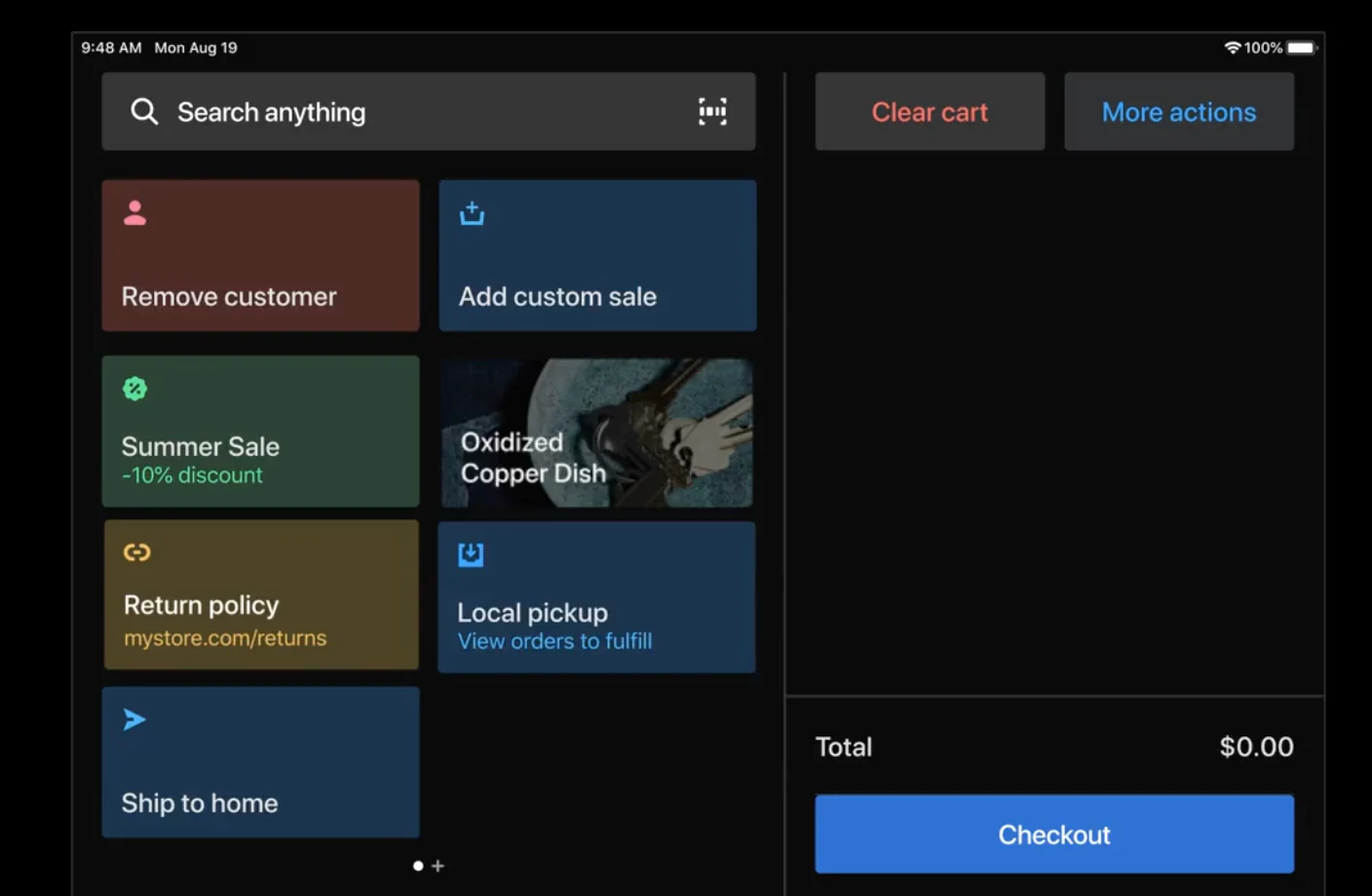
HubSpot’s analytics dashboard can track email opens, clicks, appointment bookings, and revenue attribution with clear visualization, providing visibility into which campaigns generate the highest ROI, which patient segments are most responsive, and how email marketing contributes to overall practice growth.

Comparison Table of Best Email Marketing Tools for Dentists

Email Marketing Tool

Best For

Key Features

Pricing

HubSpot

Dental practices seeking all-in-one patient management

AI-powered personalization, appointment workflows, patient segmentation

Free plan available; Marketing Hub Starter at $15/month; Professional at $800/month

Mailchimp

Small practices with basic email needs

Email templates, basic automation, audience segmentation

Free for up to 500 contacts; Essentials from $13/month

Constant Contact

Practices focused on event marketing

Event management, social media integration, list segmentation

Starting at $12/month for up to 500 contacts

ActiveCampaign

Practices with complex automation requirements

Advanced automation, CRM integration, predictive sending

Starting at $29/month for 1,000 contacts

AWeber

Solo practitioners and small teams

Drag-and-drop builder, autoresponders, landing pages

Free for up to 500 subscribers; Pro from $12.50/month

Kit

Practices with content marketing strategies

Landing pages, visual automation, subscriber tagging

Free up to 1,000 subscribers; Creator from $25/month

Drip

Practices with sophisticated patient journeys

E-commerce focus, multi-channel campaigns, custom workflows

Starting at $39/month for 2,500 contacts

Campaign Monitor

Practices valuing design and brand consistency

Template builder, journey designer, analytics

Starting at $11/month for 500 contacts

Moosend

Cost-effective option for growing practices

Marketing automation, landing pages, reporting

Free for up to 1,000 subscribers; Pro from $9/month

Best Email Marketing Software for Dentists

Choosing the right email marketing platform can transform how your dental practice communicates with patients. Here are the top solutions designed to meet the unique needs of dental professionals.

1. HubSpot

HubSpot is the most comprehensive email marketing solution for dental practices, combining robust automation with an integrated CRM and practice management capabilities.

Unlike competitors that focus solely on email delivery, HubSpot provides a complete patient engagement ecosystem that tracks every interaction from initial inquiry through ongoing care. This makes it the ideal choice for practices that want to eliminate data silos and streamline operations. It’s also HIPAA-compliant, unlike many other popular email marketing tools.

screenshot showing hubspot's drag-and-drog editor for email marketing for dentist

Source

Best For: Dental practices of all sizes that want to consolidate patient communication, appointment scheduling, and marketing automation in one unified platform while maintaining complete visibility into patient engagement.

Key HubSpot Features:

  • AI-Powered Email Creation and Personalization – HubSpot’s Breeze can generate email content for different patient segments, from routine cleaning reminders to cosmetic dentistry promotions, while personalization tokens automatically insert patient-specific details like names, appointment dates, and treatment history. This saves hours of manual work while increasing relevance.
  • Automation – With HubSpot workflows, practices can create sophisticated, automated email sequences for a variety of events (i.e. appointment reminders, post-treatment follow-ups). This helps ensure no patient falls through the cracks without requiring staff intervention.
  • Integration and Segmentation – HubSpot seamlessly connects with leading dental software including Dentrix, Eaglesoft, and Open Dental so it can synchronize patient data automatically. From there, its segmentation abilities enable targeting based on treatment history, last visit date, demographics, or custom criteria for highly relevant messaging.

HubSpot Pricing:

HubSpot offers a free CRM with basic email marketing capabilities, including email creation, contact management, and simple automation. Marketing Hub Starter begins at $15 per month (billed monthly) with expanded email features and removes HubSpot branding.

Marketing Hub Professional costs $800 per month (annual billing) and includes advanced automation, A/B testing, and comprehensive reporting. Marketing Hub Enterprise is $3,600 per month (annual billing) for larger practices requiring sophisticated patient journey mapping and multi-location management. Learn More.

2. Mailchimp

Mailchimp has established itself as one of the most recognizable names in email marketing, offering an accessible entry point for dental practices new to digital marketing. Its intuitive drag-and-drop interface and extensive template library make it easy for non-technical staff to create professional-looking emails. It is, however, not HIPAA-compliant.

screenshot showing mailchimp's editor for email marketing for dentist

Source

Best For: Small dental practices or solo practitioners who need straightforward email campaigns with minimal complexity. It can be useful for newsletters and basic appointment reminders rather than sophisticated patient journey automation.

screenshot showing mailchimp's analytics for email marketing for dentist

Source

Key Mailchimp Features:

  • Pre-Built Healthcare Templates – With Mailchimp, dental practices can access hundreds of customizable email templates specifically designed for healthcare providers. These include clean layouts optimized for appointment reminders, health tips, and service announcements.
  • Basic Automation and Scheduling – This allows you to set up simple emails like a welcome for new patients and automated birthday greetings, and special offers with minimal ongoing management effort.
  • Audience Segmentation and Tags – With this, you can group patients by demographics, engagement levels, enabling more targeted and relevant communications.

Mailchimp Pricing:

Free plan available for up to 500 contacts with 1,000 monthly email sends and basic features. Essentials plan starts at $13 per month with 5,000 contacts, removing Mailchimp branding and adding basic automation. Learn more.

3. Constant Contact

Constant Contact differentiates itself through robust event marketing capabilities and exceptional customer support. While its email features are solid, the platform’s real strength lies in its event management tools and reputation for responsive customer service.

screenshot showing constant contact's editor for email marketing for dentist

Source

Best For: Dental practices that regularly host community events like oral health seminars, open houses, or patient appreciation days and need integrated event registration, ticketing, and promotion alongside standard email marketing. Also, for practices investing in multi-channel marketing.

Key Constant Contact Features:

  • Built-In Event Management System – For practices that hold events, Constant Contact allows you to create event registration pages, manage attendee lists, send automated confirmations and reminders, and track RSVPs all within the same platform.
  • Social Media Integration and Posting – Automatically share email campaigns across Facebook and Instagram to reach patients through multiple channels, while also scheduling social posts directly from the platform. This is helpful for maintaining a multi-channel presence that is essential with loop marketing.
  • Contact List Management and Segmentation – Easily import patient contacts from spreadsheets or practice management systems, manage opt-ins and unsubscribes to maintain compliance, and create targeted lists based on patient attributes for more relevant communications.

Note: Constant Contact is not inherently HIPAA compliant, but it can be made so. Learn more here.

Constant Contact Pricing:

Core plan starts at $12 per month for up to 500 contacts with unlimited email sends, basic automation, and event management. Plus plan begins at $35 per month with advanced automation, dynamic content, A/B testing, and social media scheduling. Learn more.

4. ActiveCampaign

ActiveCampaign excels in sophisticated marketing automation and CRM functionality, making it ideal for multi-location dental practices or specialty practices with complex patient journey requirements. ActiveCampaign is HIPAA compliant.

screenshot showing active campaign's editor for email marketing for dentist

Source

Best For: Multi-location dental practices, specialty practices, or growing practices with complex patient journey requirements.

Key ActiveCampaign Features:

  • Advanced Automation Builder with Conditional Logic – Create sophisticated patient communication workflows that adapt based on treatment, appointment history, email engagement, and website behavior, enabling truly personalized patient journeys that respond dynamically to individual actions.
  • Predictive Sending and Machine Learning – Machine learning algorithms determine the optimal time to send emails to each individual patient based on their historical engagement patterns, automatically scheduling messages when they’re most likely to be opened and read.
  • Integrated CRM with Deal Tracking – Built-in CRM functionality tracks patient interactions across email, website visits, and appointment scheduling. Deal pipelines help manage high-value treatments like implants or orthodontics from initial consultation through completion.

ActiveCampaign Pricing:

Starter plan starts at $15 per month for up to 1,000 contacts with email marketing, marketing automation, and basic CRM. Plus plans begin at $49 per month, adding landing pages, Facebook audiences, and contact scoring. Learn more.

5. AWeber

AWeber has built its reputation on reliability and excellent customer support, making it a comfortable choice for solo dental practitioners and small practices that prioritize ease of use. The platform delivers solid email marketing fundamentals without overwhelming users with complexity. It is particularly newsletter-friendly.

screenshot showing aweber's editor for email marketing for dentist

Source

Best For: Solo dental practitioners and small practices seeking user-friendly email marketing with strong customer support and straightforward functionality rather than complex automation or advanced features.

Key AWeber Features:

  • Intuitive Drag-and-Drop Email Builder – Create professional patient emails without technical skills using a visual editor with pre-built content blocks. This makes it easy for staff members to design newsletters, appointment reminders, or promotional campaigns.
  • Autoresponder Series and Time-Based Triggers – While not as robust as other tools. AWeber does allow users to set up automated welcome sequences for new patients, promotions, or educational content. AWeber is not HIPAA compliant, so you can’t send appointment or health-related emails.
  • Newsletter AI: This is a feature unique to AWeber. It uses artificial intelligence to learn your voice and draft highly engaging newsletters that you can then edit and schedule.

AWeber Pricing:

Free plan for up to 500 subscribers with basic email marketing features, one list, and AWeber branding. Pro plan starts at $12.50 per month for 0-500 subscribers with unlimited email sends, removes branding, and adds automation. Learn more.

6. Kit (formerly ConvertKit)

Kit caters specifically to users with content marketing strategies, making it well-suited for dental practices that publish blogs, educational newsletters, or oral health resources to attract and nurture patients.

Its subscriber-centric approach and visual automation builder appeal to practices that view email marketing as part of a broader content strategy rather than just transactional communication.

screenshot showing kit's editor for email marketing for dentist

Source

Best For: Dental practices that prioritize using blogs, educational newsletters, and oral health resources to attract new patients, establish thought leadership in their community, and nurture existing contacts to purchase.

Key Kit Features:

  • Visual Automation Builder – Easily create email sequences using an intuitive visual interface and logic that adapts based on subscriber actions like link clicks or form submissions.
  • Tagging and Dynamic Segmentation – Organize patients by interests such as cosmetic dentistry, orthodontics, or preventive care using tags rather than rigid lists. Then, dynamic segmentation automatically updates as patient interests evolve allowing highly targeted messaging.
  • High Deliverability – It’s easy to get sent to the spam folder these days. Kit has an impressive delivery rate of 99.8% and a healthy reputation with email providers that helps your emails actually get seen.

Note: Kit is not HIPAA compliant, so you cannot include sensitive patient health information.

Kit Pricing:

Free plan available for up to 1,000 subscribers with unlimited landing pages, forms, and broadcasts, though without advanced automation. Creator plan starts at $25 per month for 1,000 subscribers, automated funnels, and sequences. Learn more.

7. Drip

Drip positions itself as an e-commerce CRM with sophisticated multi-channel capabilities, making it particularly valuable for dental practices with multiple revenue streams (i.e. selling dental health products) and complex patient retention strategies.

screenshot showing drip's editor for email marketing for dentist

Source

Best For: Dental practices with sophisticated patient retention strategies, multiple revenue streams from both services and products, and the desire to coordinate messaging across email, SMS, and on-site channels.

Key Drip Features:

  • Multi-Channel Campaign Orchestration – Coordinate email, SMS, and on-site messaging to guide patients through treatment decisions using unified workflows, ensuring consistent messaging across touchpoints and the ability to reach patients through their preferred communication channel.
  • Custom Workflow Builder with Advanced Logic – Design patient journeys that respond to specific triggers with complex conditional logic enabling highly personalized experiences based on multiple behavioral and demographic factors.
  • Revenue Tracking and Analytics Dashboard – Monitor which campaigns drive treatment acceptance and calculate the financial impact of email marketing efforts with clear revenue attribution, providing visibility into marketing ROI that justifies investment and guides strategy refinement.

Note: Drip is not HIPAA compliant, so you cannot include sensitive patient health information.

Drip Pricing:

Plans start at $39 per month for up to 2,500 contacts with unlimited email sends and full platform access, including automation workflows and revenue tracking. Pricing scales with contact volume. Learn more.

8. Campaign Monitor

Campaign Monitor emphasizes beautiful design and brand consistency, appealing to dental practices that want every patient communication to reflect professional polish.

screenshot showing campaign monitor's editor for email marketing for dentist

Best For: Dental practices that prioritize brand consistency and visually appealing patient communications as part of their premium positioning, particularly upscale practices focusing on cosmetic dentistry.

Key Campaign Monitor Features:

  • Professional Template Builder with Brand Control – Design branded emails that reflect your practice’s visual identity with advanced customization options, custom fonts, and precise layout control, ensuring every patient communication reinforces brand recognition and professional image.
  • Visual Journey Designer for Patient Workflows – Map out patient communication flows visually and implement automated touchpoints based on behavior and time, creating sophisticated nurture sequences for high-value treatments that guide patients through decision-making processes.
  • Dynamic Content: Use your customer data to create dynamic content that delivers the right message at the right time to your contacts.

Note: Campaign Monitor is not HIPAA compliant, so you cannot include sensitive patient health information.

Campaign Monitor Pricing:

Basic plan starts at $11 per month for 500 contacts with unlimited email sends, basic automation, and analytics. Unlimited plan begins at $29 per month for 500 contacts with time zone sending, advanced segmentation, and countdown timers. Premier plan available with custom pricing for advanced features, priority support, and dedicated account management. Pricing scales with contact volume.

9. Moosend

Moosend delivers powerful marketing automation capabilities at affordable pricing. While less known than competitors like Mailchimp or Constant Contact, the platform punches above its weight class in features, offering automation, segmentation, and reporting tools typically found in much more expensive solutions.

screenshot showing moosend's editor for email marketing for dentistSource

Best For: Cost-effective option for growing dental practices seeking powerful automation capabilities at an affordable price point, particularly practices transitioning from basic email tools to more sophisticated marketing.

Key Moosend Features:

  • Affordable Advanced Automation – Access sophisticated workflow automation typically found in premium platforms at a fraction of the cost, enabling automated promotions, holiday greetings, etc. without the high monthly fees of competitors.
  • Real-Time Reporting and Analytics Dashboard – Monitor email performance metrics including opens, clicks, and appointment bookings to optimize campaign effectiveness, with clear visual dashboards that make data accessible even for non-technical staff members.
  • A/B Testing: Experiment with different copy and visuals in your emails and pick the version that resonates most with your audience to achieve the best results.

Note: Moosend is not HIPAA compliant, so you cannot include sensitive patient health information.

Moosend Pricing:

Free plan available for up to 1,000 subscribers with basic email marketing features and one list. Pro plan starts at $9 per month for unlimited emails, automation workflows, landing pages, and reporting with no subscriber limit. Learn more.

How to Choose an Email Marketing Tool for Dentists (Step-by-Step)

Selecting the right email marketing platform ensures your dental practice communicates effectively with patients while supporting practice growth goals. Follow these steps to make an informed decision:

1. Map your communication workflows and patient touchpoints.

Begin by documenting every patient touchpoint from initial inquiry through ongoing care, identifying which communications happen manually today that could be automated.

Common dental practice workflows include:

  • New patient welcome sequences introducing your team and services
  • Appointment confirmation emails sent immediately after booking
  • Pre-appointment reminders at 48 hours and 24 hours before visits
  • Post-treatment care instructions delivered after procedures
  • Recall campaigns for patients due for cleanings
  • Educational sequences for high-value treatments like implants or cosmetic procedures.

Understanding your complete communication flow helps identify which platform features matter most for your specific practice needs.

Remember, any transactional emails related to your contact’s health require a HIPAA-compliant tool — that includes appointment reminders. Only general marketing emails like blog articles, promotions, holiday greetings, etc., can be sent without this compliance.

It is common to use multiple tools to cover all your bases, but HIPAA-compliant tools like HubSpot streamline your email marketing toolbox to just one.

2. Identify must-have features based on practice priorities.

Based on your workflow map, prioritize essential capabilities to reap the most immediate value to your practice.

Most dental practices require appointment reminder automation to reduce no-shows, patient segmentation to enable targeted messaging, mobile-responsive templates for optimal viewing on all devices, and integration with existing practice management software to avoid duplicate data entry.

Determine whether you need advanced features like SMS capabilities for multi-channel reminders, webinar hosting for patient education, sophisticated patient journey automation for complex treatment nurturing, or e-commerce functionality if selling oral care products.

HubSpot provides comprehensive features that address common dental practice needs including automation, segmentation, integrations, and analytics without requiring multiple disconnected tools.

3. Evaluate ease of use and team capability.

Consider who will manage email marketing in your practice (i.e. front desk staff, marketing coordinator, or practice manager) and their comfort with learning new technology.

Work with them to test free trials and demos to see how quickly they can create campaigns, set up automation workflows, and interpret results without help.

The ideal platform enables existing staff to execute marketing initiatives easily and without consistent support.

HubSpot’s intuitive drag-and-drop interface, thorough documentation, support, and training courses in HubSpot Academy allow dental teams to become proficient quickly, even without previous marketing technology experience.

4. Calculate total cost at scale and hidden fees.

Compare pricing as your patient database grows. Many platforms appear affordable at low contact volumes but become expensive as your practice expands.

Factor in costs for additional features like extra user seats, email volume limits and overage charges, SMS messaging credits, and integration costs for connecting practice management software.

Consider the value of integrated functionality versus purchasing separate tools for CRM, landing pages, automation, and analytics, which adds complexity and total cost.

HubSpot’s transparent pricing structure and included features often prove more cost-effective than piecing together multiple solutions, particularly when accounting for staff time spent managing disconnected systems.

5. Choose a flexible platform like HubSpot that grows with your practice.

Select a platform that scales with your practice and adapts to changing marketing needs rather than one you’ll quickly outgrow.

HubSpot serves dental practices ranging from solo practitioners just starting with email marketing to multi-location groups with sophisticated patient acquisition funnels.

Dental practices implementing HubSpot report 25% improvement in new patient appointments within the first six months and a 40% increase in positive reviews, demonstrating the platform’s effectiveness for dental-specific communication needs and patient relationship management.

How to Create Email Marketing Campaigns for Dentists

Successfully implementing email marketing requires strategic planning and consistent execution. If you’re just getting started, here are some basic steps you can follow to set up a basic email marketing campaign for a dental practice. Refine as needed for your specific goal and messaging.

1. Define campaign objectives and success metrics.

Establish clear, measurable goals for each email campaign before creating content. This gives you direction and something to help you evaluate how you’re doing.

Common dental practice objectives include:

  • filling schedule gaps with short-notice appointment campaigns
  • promoting seasonal services like teeth whitening before wedding season or holidays
  • increasing hygiene appointment attendance among lapsed patients
  • educating patients about new technology like same-day crowns or digital impressions
  • driving consultations for high-value treatments like implants or orthodontics.

HubSpot’s campaign management tools (and HIPAA compliance) enable setting specific goals like appointment bookings or consultation requests, tracking performance against those targets in real-time, and calculating ROI by attributing revenue directly to specific campaigns.

2. Build and segment your patient database.

Organize your patient database into groups based on shared characteristics or behaviors.

This could mean last visit date, age group, treatment history, geographic location, insurance status, and engagement level to identify potential campaign ideas and improve relevance and response rates.

HubSpot’s sophisticated list features enable complex filtering. Dynamic lists even automatically update as patient data changes, ensuring segments stay current without manual maintenance.

3. Design mobile-optimized email templates.

Create visually appealing, on-brand emails that display correctly and remain functional across all devices, particularly smartphones, where most people read email.

Include clear, easy-to-click calls-to-action, use concise copy that communicates value quickly since patients scan rather than read thoroughly, incorporate practice branding elements like logos and colors for consistency and recognition, and optimize images to load quickly even on slower mobile connections.

HubSpot’s drag-and-drop email builder includes a library of mobile-responsive templates specifically designed for healthcare providers. This allows even non-technical staff to create professional emails, while also showing you a real-time preview of how the email will appear on desktop, tablet, and mobile devices.

4. Set up automated workflow sequences.

Set up the automated sequence that triggers your email send. This could be based on patient actions, practice management system events, or time intervals, ensuring communication without any additional manual effort.

HubSpot’s visual workflow builder makes it simple to design, test, and launch sequences with drag-and-drop logic.

5. Personalize content using patient data.

Customize email content using available patient information to increase relevance, engagement, and response rates through targeted messaging.

Include patient first names, sure, but also go beyond that. Reference their specific upcoming appointments with date, time, and provider details, mention their treatment history to acknowledge ongoing care relationships, recommend services based on previous procedures or stated interests, and adjust messaging tone based on patient demographics like age or family status.

Modern buyers are savvy to “first name” personalization tokens, but incorporating deeper details cut through the noise. They make your emails feel like they were actually written specifically for that person. (This is an important piece of Loop Marketing).

In addition to HubSpot’s personalization tokens, it’s smart content features can display entirely different content blocks to different segments within the same email campaign.

6. Test campaign variables and optimize performance.

Continuously improve email effectiveness through systematic testing of different elements like subject line, call-to-action, design, and messaging.

HubSpot’s A/B testing capabilities allow you to test up to five variations of subject lines, content, or send times simultaneously, automatically determining winning versions and applying those insights to future campaigns for continuous improvement.

7. Monitor results and refine strategy.

Regularly review campaign metrics to understand what resonates with patients, which segments are most responsive, and how email marketing contributes to practice growth. This may include, but is not limited to:

  • Tracking open rates to gauge subject line effectiveness and sender reputation
  • Monitoring click-through rates to assess content relevance and calls-to-action effectiveness
  • Measuring appointment bookings and consultation requests attributed to specific campaigns
  • Calculating overall ROI by comparing campaign costs against revenue generated from attributed appointments
  • Analyzing unsubscribe and complaint rates to ensure messaging remains welcome and relevant

HubSpot Reporting consolidates these metrics into visual charts and graphs, enables filtering by segment or campaign type to identify patterns, and provides year-over-year comparison showing growth in email marketing effectiveness over time.

Frequently Asked Questions About Email Marketing for Dentists

What is the best email marketing tool for dentists?

The best tool depends on your specific needs, but with its comprehensive suite of integrated marketing and business growth tools and HIPAA compliance alongside its email offerings, HubSpot is hard to top.

It combines powerful automation, sophisticated patient segmentation, and practice management integration in one unified platform rather than requiring multiple disconnected tools and protecting patient data. What features should I look for in Email Marketing Tools for Dentists?

Essential features for dental email marketing include:

  • Automation
  • Patient Segmentation
  • HIPAA-compliance and security
  • Mobile responsive design
  • Bi-directional integration with practice management software like Dentrix and Eaglesoft
  • A/B testing
  • Analytics

HubSpot delivers all these features in a unified platform with transparent pricing, eliminating the need for multiple disconnected tools that create data silos and complicate operations.

Is HubSpot good for dentists?

Yes, HubSpot is excellent for dental practices of all sizes seeking comprehensive patient communication and practice growth solutions that go beyond basic email marketing.

The platform serves solo practitioners just starting with digital marketing, growing practices ready for automation and segmentation, and multi-location dental groups requiring sophisticated patient journey management, with scalable features that adapt to specific needs and practice size.

Many dental practices report significant improvements in patient retention rates, treatment acceptance for high-value procedures, operational efficiency through automation, and overall practice growth after implementing HubSpot for their email marketing and patient relationship management needs.

How much does email marketing software for dentists cost?

Email marketing software pricing for dental practices ranges from free plans with basic features to enterprise solutions costing several thousand dollars monthly, with pricing typically based on contact database size, number of email sends, and feature sophistication.

HubSpot offers flexible pricing starting with a completely free CRM including basic email marketing suitable for practices just beginning digital communication. Paid plans start at $15 a month.

Can email marketing help reduce dental appointment no-shows?

Absolutely. Email marketing significantly reduces no-show rates through appointment reminders sent at strategic intervals before scheduled visits, addressing one of dental practices’ most costly operational challenges.

Research indicates that practices using automated email reminders reduce no-shows by 30-50% compared to relying solely on phone calls or no reminders, translating to thousands of dollars in recovered revenue monthly for typical practices.

HubSpot’s appointment reminder workflows integrate with practice management systems to automatically send multiple touchpoints.

Meet HubSpot, the Top Email Marketing Choice for Dentists

HubSpot stands out as the premier email marketing solution for dental practices seeking to transform patient communication and accelerate practice growth through sophisticated yet accessible marketing technology.

Unlike specialized email tools that require separate systems for patient tracking, scheduling coordination, and analytics, or basic tools that lack the automation capabilities dental practices need, HIPAA-compliant HubSpot provides a unified platform that streamlines all aspects of patient engagement while maintaining complete visibility into marketing effectiveness and ROI.

Key HubSpot Features for Dental Practices:

  • Comprehensive Automated Workflow Capabilities – Design sophisticated patient communication sequences triggered by appointments, treatment completions, time-based intervals, or patient behaviors, ensuring consistent engagement throughout the patient journey without manual effort from staff, including new patient onboarding, appointment reminders, post-treatment follow-ups, recall notifications, and treatment-specific education sequences.
  • Advanced Patient Segmentation and Personalization – Create unlimited patient segments based on treatment history, demographics, last visit date, engagement behavior, insurance status, and custom criteria to deliver highly relevant messaging that drives action, with dynamic lists that automatically update as patient data changes and personalization tokens that customize every email with patient-specific information.
  • Seamless Practice Management Integration – Connect effortlessly with leading dental software including Dentrix, Eaglesoft, Open Dental, and Curve to automatically synchronize patient demographics, appointment schedules, treatment history, and other critical data, eliminating double entry and enabling automation workflows that trigger based on practice management system events.
  • AI-Powered Content Creation and Optimization – Generate personalized email content for different patient segments using HubSpot’s Breeze, dramatically reducing time spent writing campaigns while maintaining quality and relevance, with AI also optimizing send times, subject lines, and content recommendations based on historical engagement patterns.

Dental practices using HubSpot’s email marketing platform experience 25% more new patient appointments within the first year.

Ready to see how HubSpot can work for your dental practice? Get started with HubSpot today and transform how you connect with patients, fill your schedule, and grow your practice through strategic, automated email marketing that delivers measurable results.

6 best email marketing tools for higher education businesses in 2025

Software Stack Editor · October 22, 2025 ·

Higher education institutions face unique communication challenges in 2025. Between recruiting prospective students, engaging current learners, maintaining alumni relationships, and coordinating with faculty, colleges and universities need robust email marketing solutions that can handle complex, multi-audience campaigns while delivering personalized experiences at scale.

Boost Opens & CTRs with HubSpot’s Free Email Marketing Software

Email marketing remains the most preferred communication channel for prospective students during the college application process, with 55% preferring email over text messages (33%). The education industry also achieves an average email open rate of 28.5% — among the highest across all sectors — making email marketing an essential tool for enrollment management and student engagement.

This guide compares the best email marketing software for higher education institutions in 2025, including detailed feature breakdowns, pricing information, and recommendations to help you choose the right platform for your college or university.

Table of Contents

  • What is email marketing for higher education?
  • Email Marketing Tools for Higher Education Comparison Table
  • Best Email Marketing Software for Higher Education Businesses
  • Benefits of Email Marketing Software for Higher Education
  • 6 Important Features for Higher Education Email Marketing Software
  • How to Choose an Email Marketing Tool for Higher Education (Step-by-Step)
  • How to Create Email Marketing Campaigns for Higher Education
  • Frequently Asked Questions
  • Meet HubSpot, the Top Email Marketing Software for Higher Education Companies

What is email marketing for higher education?

Email marketing for higher education is a strategic communication approach that colleges and universities use to connect with prospective students, current students, alumni, donors, and faculty through targeted email campaigns. Email marketing enables institutions to nurture leads through the enrollment funnel, share important academic updates, promote campus events, and maintain long-term relationships with their community while tracking engagement and measuring campaign effectiveness.

Email Marketing Tools for Higher Education Comparison Table

Email Marketing Tool

Best For

Key Features

Pricing

Average Rating

HubSpot

Universities seeking integrated CRM and marketing automation

Free CRM, advanced automation, multi-channel campaigns, robust analytics

Free plan available; Paid plans start at $15/month

4.5/5 (G2)

Mailchimp

Institutions with basic email needs and large contact lists

Drag-and-drop editor, audience segmentation, pre-built templates

Free for 500 contacts; Paid plans start at $13/month

4.4/5 (G2)

Constant Contact

Schools needing event management and ticketing

Event registration tools, social media integration, automated welcome emails

Plans start at $12/month for 500 contacts

4.1/5 (G2)

ActiveCampaign

Colleges requiring advanced automation and CRM features

900+ automation templates, predictive analytics, sales automation

Plans start at $15/month for 1,000 contacts

4.5/5 (G2)

Omnisend

Institutions focused on ecommerce and course sales

Multi-channel campaigns, ecommerce integrations, SMS marketing

Free for 250 contacts; Paid plans start at $16/month

4.6/5 (G2)

Envoke

Canadian universities requiring CASL compliance

Data stored in Canada, advanced consent management, CASL compliance

Plans start at $69 CAD/month for 2,500 contacts

4.8/5 (Capterra)

Best Email Marketing Software for Higher Education Businesses

Understanding the right email marketing platform can transform how your institution communicates with students, prospects, and stakeholders. Here are the six best solutions tailored for higher education needs.

HubSpot

hubspot email marketing for professional business email hosting

HubSpot is best for: Universities seeking an all-in-one CRM and marketing automation platform with advanced analytics

HubSpot provides higher education institutions with a comprehensive platform that unifies marketing, admissions, and student service processes. The platform enables colleges and universities to attract prospective students, convert inquiries into applications, and nurture relationships throughout the student lifecycle.

Key HubSpot Features:

  • Free CRM integration – HubSpot offers a free CRM that enables admissions teams to track every interaction with prospective students from initial inquiry through enrollment, ensuring no lead falls through the cracks
  • Marketing automation workflows – HubSpot automates personalized email sequences based on prospect behavior, enabling institutions to send targeted content at optimal times in the enrollment journey
  • Advanced analytics and reporting – HubSpot provides dashboards that track campaign performance, lead sources, and conversion rates, allowing marketing teams to demonstrate ROI and make data-driven decisions
  • Landing page and form builders – HubSpot includes tools to create high-converting landing pages for program information, virtual tours, and application starts without requiring technical expertise
  • Multi-channel campaign management – HubSpot coordinates email, social media, and paid advertising campaigns from a single platform, ensuring consistent messaging across all touchpoints

HubSpot Pricing:

  • Free plan: Up to 2,000 email sends per month with basic CRM, forms, and email marketing
  • Marketing Hub Starter: $15/month per seat
  • Marketing Hub Professional: Starting at $890/month (includes 3 seats)
  • Marketing Hub Enterprise: Starting at $3,600/month (includes 5 seats)

Mailchimp

mailchimp email marketing

Best For: Institutions with straightforward email marketing needs and large subscriber lists

Mailchimp delivers user-friendly email marketing tools with an extensive template library and straightforward campaign creation process. The platform serves higher education institutions that prioritize ease of use and need to manage large contact databases.

Key Mailchimp Features:

  • Extensive template library – Mailchimp offers hundreds of pre-designed email templates suitable for recruitment campaigns, student newsletters, and alumni communications, reducing design time
  • Audience segmentation – Mailchimp enables institutions to segment contacts based on demographics, behavior, and engagement history to deliver targeted messages to prospective students versus current students versus alumni
  • A/B testing capabilities – Mailchimp allows institutions to test subject lines, send times, and content variations to optimize open rates and click-through rates
  • Social media advertising integration – Mailchimp creates retargeting ads on Facebook and Instagram based on email campaign data, extending reach to prospective students across multiple platforms

Mailchimp Pricing:

  • Free plan: 500 contacts, 1,000 monthly email sends
  • Essentials plan: Starting at $13/month for 500 contacts (10x contact limit for monthly sends)
  • Standard plan: Starting at $20/month for 500 contacts (12x contact limit for monthly sends)
  • Premium plan: Starting at $350/month for 10,000 contacts (15x contact limit for monthly sends)
  • Nonprofit discounts: 15% off annual plans

Constant Contact

constant contact email marketing

Best For: Colleges and universities that regularly host campus events and need integrated event management

Constant Contact specializes in event marketing tools alongside traditional email marketing features, making it valuable for institutions that coordinate open houses, alumni events, webinars, and campus tours.

Key Constant Contact Features:

  • Built-in event registration – Constant Contact enables institutions to create event pages, collect RSVPs, manage attendee lists, and process ticket payments directly within the platform, eliminating the need for third-party event tools
  • Automated event reminders – Constant Contact sends automated email reminders to registered attendees before events, reducing no-shows for campus tours and information sessions
  • Social media posting – Constant Contact schedules and publishes social media posts across multiple platforms to promote events, programs, and campus news alongside email campaigns
  • Customizable email templates – Constant Contact provides themed templates for various occasions including enrollment deadlines, scholarship announcements, and academic calendar reminders

Constant Contact Pricing:

  • Lite plan: $12/month for 500 contacts (basic email marketing and event management)
  • Standard plan: $35/month for 500 contacts (includes automation, A/B testing, and segmentation)
  • Premium plan: $80/month for 500 contacts (adds SEO tools, ads management, and advanced analytics)
  • 30-day free trial available

ActiveCampaign

active campaign email marketing

Best For: Institutions requiring sophisticated automation workflows and predictive analytics

ActiveCampaign provides advanced marketing automation and CRM capabilities that enable higher education institutions to create complex, behavior-based email sequences that respond to prospect actions in real-time.

Key ActiveCampaign Features:

  • 900+ automation workflow templates – ActiveCampaign offers pre-built automation sequences for common higher education scenarios including application nurture campaigns, admitted student engagement, and re-enrollment outreach
  • Predictive analytics – ActiveCampaign uses machine learning to identify which prospects are most likely to enroll, allowing admissions teams to prioritize outreach to high-intent leads
  • Conditional content – ActiveCampaign dynamically changes email content based on recipient attributes such as intended major, campus location interest, or application status
  • Lead scoring – ActiveCampaign assigns scores to prospects based on engagement behaviors like email opens, website visits, and form submissions, helping admissions counselors identify warm leads

ActiveCampaign Pricing:

  • Starter plan: $15/month for 1,000 contacts
  • Plus plan: $49/month for 1,000 contacts
  • Professional plan: $79/month for 1,000 contacts
  • Enterprise plan: $145/month
  • 14-day free trial available

Omnisend

omnisend email marketing

Best For: Universities with online course sales and ecommerce components

Omnisend focuses on multi-channel marketing automation with strong ecommerce integrations, making it suitable for institutions that sell online courses, professional development programs, or branded merchandise.

Key Omnisend Features:

  • Multi-channel campaigns – Omnisend coordinates email, SMS, and push notifications in unified campaigns, enabling institutions to reach prospective students through their preferred communication channels
  • Ecommerce platform integrations – Omnisend integrates with Shopify, WooCommerce, and other ecommerce platforms to track online course purchases and trigger relevant follow-up communications
  • Abandoned cart recovery – Omnisend automatically sends reminder emails to prospects who started but didn’t complete course registrations or merchandise purchases
  • Product recommendations – Omnisend suggests related courses or programs to enrolled students based on their purchase history and browsing behavior

Omnisend Pricing:

  • Free plan to send 500 emails/month up to 250 contacts
  • Standard plan: $11.20/month up to 500 contacts
  • Pro plan: $41.20/month for 2,500 contacts (adds advanced reporting and priority support)
  • Pricing scales with contact list size

Envoke

invoke email marketing

Best For: Canadian universities requiring CASL compliance and data sovereignty

Envoke specializes in serving Canadian higher education institutions with compliance-focused email marketing that meets Canadian Anti-Spam Legislation (CASL) requirements while storing data within Canada.

Key Envoke Features:

  • Automated CASL compliance – Envoke automatically manages consent tracking, opt-in confirmations, and unsubscribe processes to ensure compliance with Canadian anti-spam legislation
  • Data stored in Canada – Envoke hosts all contact data on Canadian servers, addressing data sovereignty requirements for Canadian public institutions
  • Multi-department management – Envoke enables universities to create separate subaccounts for different departments while maintaining centralized oversight and brand consistency
  • Higher education templates – Envoke provides email templates designed specifically for university communications including recruitment, student services, and alumni relations

Envoke Pricing:

  • Pro plan: Starting at $69 CAD/month for 2,500 contacts with unlimited email sends
  • Pay-as-you-go option available (store unlimited contacts, pay per email sent)
  • Custom pricing for larger institutions
  • Free migration services from other platforms

Benefits of Email Marketing Software for Higher Education

Email marketing platforms deliver measurable advantages that directly support enrollment goals and student engagement objectives.

Streamlined Enrollment Management

Email marketing software enables institutions to automate prospect nurture campaigns from inquiry through enrollment. Universities using marketing automation track prospective students through each stage of the enrollment funnel, automatically sending relevant content based on application status and demonstrated interests. This systematic approach increases conversion rates while reducing manual workload for admissions staff.

Enhanced Personalization at Scale

Higher education institutions serve diverse audiences with varying needs—prospective undergraduates, graduate students, international applicants, transfer students, alumni, and parents each require tailored messaging. Email marketing platforms segment contacts based on dozens of attributes and behaviors, enabling institutions to deliver personalized content to thousands of recipients simultaneously. In a 2024 EAB study, 93% of students said that receiving a personalized message from a college would encourage them to explore a school further.

Data-Driven Decision Making

Email marketing software provides detailed analytics on campaign performance, including open rates, click-through rates, and conversion metrics. Higher education marketing teams use this data to identify which messages resonate with prospective students, which recruitment channels generate the highest-quality leads, and how marketing efforts directly contribute to enrollment numbers. This visibility enables institutions to allocate budgets more effectively and demonstrate marketing ROI to leadership.

Improved Alumni Engagement

Email marketing platforms help institutions maintain long-term relationships with alumni through targeted communications about networking events, donation campaigns, and career opportunities. Automated workflows enable universities to send personalized birthday messages, graduation anniversary emails, and updates about developments in alumni’s fields of study, strengthening lifetime connections to the institution.

Efficient Multi-Campus Communication

For university systems with multiple campuses or online programs, email marketing software ensures consistent branding while allowing customization for local audiences. Centralized platforms enable marketing teams to create templates that individual campuses can personalize with location-specific details, events, and program information.

6 Important Features for Higher Education Email Marketing Software

When evaluating email marketing platforms for your college or university, prioritize these essential capabilities.

  • Advanced segmentation and targeting: Higher education institutions need to segment audiences by multiple criteria including prospective versus current student status, academic program interest, campus location, application stage, engagement level, and demographic factors. Robust segmentation enables admissions teams to send relevant messages to engineering prospects versus liberal arts prospects, undergraduate applicants versus graduate school candidates, and engaged prospects versus those who haven’t opened recent emails.
  • Behavior-based automation: Email automation triggered by specific actions delivers timely, relevant messages that move prospects through the enrollment journey. Essential automation triggers include form submissions, website page visits, email engagement, event registrations, and application milestones. For example, when a prospect downloads a program brochure, automation can trigger a follow-up email series about financial aid, campus life, and application deadlines.
  • CRM integration and contact management: Email marketing platforms should integrate seamlessly with student information systems and CRM databases to ensure accurate, up-to-date contact information. This integration enables admissions staff to view complete prospect histories including email engagement, website activity, and personal interactions in one centralized location. Bidirectional data sync ensures that status changes in the SIS automatically update email segments.
  • Mobile-optimized templates: With 90% of teachers accessing email on smartphones, mobile optimization is non-negotiable. Email marketing platforms must automatically adjust layouts, images, and text for mobile devices while maintaining visual appeal and functionality. Preview features should show how emails appear on various devices before sending.
  • Robust analytics and reporting: Higher education marketing teams need detailed metrics beyond basic open and click rates. Essential reporting includes lead source attribution, conversion tracking through the entire enrollment funnel, engagement scoring, A/B test results, and revenue attribution for paid programs. Dashboards should visualize trends over time and enable teams to compare campaign performance across different audiences and time periods.
  • Compliance and data security: Email marketing platforms must support data privacy regulations including FERPA, CAN-SPAM, GDPR, and CASL. Features should include consent management, automated unsubscribe processing, data encryption, and audit trails. For institutions subject to specific data sovereignty requirements, platforms must offer appropriate data storage locations.

How to Choose an Email Marketing Tool for Higher Education (Step-by-Step)

Selecting the right email marketing platform requires careful evaluation of your institution’s specific needs and growth plans.

Step 1: Map your workflows.

Document all email communications your institution currently sends including prospective student nurture campaigns, current student updates, alumni newsletters, event promotions, and internal communications. Identify which workflows are manual versus automated, where bottlenecks occur, and which messages achieve the highest engagement. This assessment reveals which platform features will deliver the most value.

Step 2: Identify must-have features.

List the essential capabilities your institution requires such as CRM integration, automation complexity, segmentation depth, event management, SMS capabilities, or analytics sophistication. Determine which systems the email platform must integrate with including your student information system, admissions CRM, event management tools, and payment processors. Prioritize features that directly support enrollment goals or significantly reduce staff workload.

Step 3: Compare ease of use and team fit.

Evaluate how intuitive each platform is for your team’s skill level. Request demos or trials to test the email builder, automation workflow creator, and reporting interface. Consider whether your team will need extensive training or can start using the platform immediately. Assess whether the platform requires technical expertise or offers visual, drag-and-drop interfaces accessible to non-technical users.

Step 4: Calculate cost at scale.

Look beyond starting prices to estimate costs as your contact database grows. Factor in the number of contacts you’ll manage in 1-2 years, expected email send volumes, additional features you may need later, and costs for add-ons like SMS marketing or premium support. Some platforms charge based on contacts while others charge based on email sends; determine which pricing model aligns better with your usage patterns.

Step 5: Choose a flexible platform — like HubSpot.

Select a platform that can scale with your institution’s growth and adapt to evolving communication strategies. HubSpot enables higher education institutions to centralize marketing, admissions, and student service processes in one powerful CRM platform. The University of Wyoming leveraged HubSpot’s flexible platform to grow from basic email campaigns to sophisticated marketing automation that increased lead volume by 26% and conversion rates to 18% year-over-year while providing the data-driven insights needed to justify marketing investments to leadership.

How to Create Email Marketing Campaigns for Higher Education

Developing effective email campaigns requires strategic planning and thoughtful execution.

Define your campaign goals and target audience.

Establish specific, measurable objectives for each campaign such as increasing information session registrations by 20%, improving application completion rates by 15%, or driving 500 prospective students to specific landing pages. Identify the precise audience segment that should receive the campaign including characteristics like prospective undergraduate versus graduate students, specific program interests, geographic regions, and current stage in the enrollment journey.

Develop compelling subject lines and preview text.

Create subject lines that clearly communicate value and create urgency without resorting to spam trigger words. Incorporate personalization tokens like recipient name, program of interest, or application deadline. Write preview text that complements the subject line by providing additional context or reinforcing the call to action. Test multiple subject line variations to identify which approaches generate the highest open rates among higher education audiences.

Design mobile-responsive email templates.

Build email templates with single-column layouts that adapt seamlessly to mobile screens. Use clear hierarchy with prominent headlines, concise body text, and obvious call-to-action buttons. Limit image file sizes to ensure fast loading on mobile devices. Preview emails on multiple devices and email clients before sending to verify proper rendering.

Personalize content based on recipient data.

Use merge fields to insert recipient-specific information including name, program of interest, campus location, and application status. Implement conditional content that displays different sections based on recipient attributes such as showing undergraduate-specific information to undergrad prospects and graduate program details to graduate school candidates. Reference previous interactions like “Thank you for attending our virtual tour” or “We noticed you downloaded our financial aid guide.”

Craft clear calls-to-action.

Include a single, prominent call-to-action that aligns with your campaign goal such as “Register for an Information Session,” “Complete Your Application,” or “Schedule a Campus Visit.” Use action-oriented button text that creates urgency. Ensure CTA buttons are large enough to tap easily on mobile devices and use contrasting colors that stand out from surrounding content.

Schedule strategic send times.

Analyze historical email engagement data to identify when your audience most frequently opens and clicks emails. For higher education audiences, prospective students check email multiple times daily with 88% checking at least once per day. Consider sending emails during weekday afternoons when prospective students review college information or weekend mornings when they have more time to engage with content.

Monitor performance and optimize future campaigns.

Track key metrics including open rates, click-through rates, conversion rates, and unsubscribe rates. Compare performance across different audience segments to identify which messages resonate with which groups. A/B test variables like subject lines, send times, email length, and CTA placement. Use insights from each campaign to refine future messaging and improve overall effectiveness.

Frequently Asked Questions

What is the best email marketing tool for higher education?

HubSpot provides the most comprehensive solution for higher education institutions seeking to integrate marketing, admissions, and CRM capabilities in one platform. HubSpot offers free CRM functionality, advanced marketing automation, robust analytics, and seamless integration with student information systems. The University of Wyoming increased lead volume by 26% and improved conversion rates to 18% using HubSpot’s platform, demonstrating measurable ROI for enrollment marketing efforts.

What features should I look for in email marketing tools for higher education?

Essential features include advanced audience segmentation to target different prospect types, behavior-based automation triggered by actions like form submissions or website visits, CRM integration to maintain complete prospect records, mobile-optimized templates to reach prospects on smartphones, detailed analytics to measure campaign effectiveness, and compliance tools to manage consent and data privacy. Additional valuable features include event management capabilities, SMS marketing for multi-channel campaigns, and A/B testing to optimize message performance.

Is HubSpot good for higher education?

HubSpot excels for higher education institutions because it unifies marketing, admissions, and student service operations in one integrated platform. Five graduate schools at the University of San Diego replaced Salesforce with HubSpot, saving admissions teams 2-4 hours per week through automated workflows and streamlined processes. HubSpot‘s free CRM tier makes it accessible for smaller institutions while enterprise features support large university systems. The platform’s reporting capabilities enable marketing teams to demonstrate ROI by tying advertising spend directly to enrolled students, which is essential for securing continued budget support.

How much does email marketing software for higher education cost?

Email marketing software pricing for higher education varies significantly based on contact list size, feature requirements, and send volumes. Entry-level plans start around $12-15 per month for 500 contacts with basic features. Mid-tier plans with automation and advanced segmentation range from $35-80 per month for 500 contacts. Enterprise solutions for large universities with tens of thousands of contacts can exceed $3,600 per month. Many platforms including HubSpot offer free plans with limited features, and numerous providers extend educational discounts to accredited institutions. Evaluate total cost of ownership including potential overages, add-on features, and integration costs.

What are the best practices for email marketing in higher education?

Successful higher education email marketing prioritizes personalization based on prospect interests and application stage, leverages automation to deliver timely messages at critical enrollment decision points, segments audiences to ensure relevance, optimizes for mobile devices where most emails are opened, includes clear calls-to-action that guide prospects toward next steps, tests subject lines and content variations to improve performance, monitors compliance with data privacy regulations, and measures ROI by tracking conversions from inquiry through enrollment. Since 55% of prospective students prefer email communication during the application process, maintaining consistent, valuable email touchpoints throughout the enrollment journey significantly influences enrollment decisions.

Meet HubSpot, the Top Email Marketing Software for Higher Education Companies

HubSpot provides higher education institutions with the most comprehensive marketing, admissions, and CRM platform to attract prospective students, nurture leads through the enrollment journey, and maintain lifelong relationships with students and alumni.

Why HubSpot Excels for Higher Education:

  • Unified CRM and marketing automation – HubSpot consolidates all prospect and student information in one database, enabling seamless coordination between marketing campaigns and admissions outreach while providing complete visibility into every interaction from initial inquiry through graduation
  • Free tier with powerful features – HubSpot offers a free CRM with email marketing capabilities up to 2,000 sends per month, landing pages, and forms, making sophisticated marketing tools accessible to institutions of all sizes
  • Scalable platform that grows with institutions – HubSpot supports everything from small liberal arts colleges to major university systems with enterprise-grade features including advanced automation, predictive analytics, and multi-campus management

Proven Results in Higher Education:

The University of Wyoming increased lead volume by 26% and improved conversion rates to 18% year-over-year using HubSpot‘s marketing automation and analytics. The university leveraged HubSpot’s dashboard capabilities to demonstrate to leadership how marketing investments translated directly into enrolled students.

Five graduate schools at the University of San Diego replaced their previous CRM with HubSpot, saving admissions teams 2-4 hours per week through automated email sequences and streamlined event management while gaining visibility into prospect engagement that enabled personalized advising appointments.

University College Dublin Professional Academy used HubSpot to scale from zero to 8-figure revenue in three years, doubling their close rate from 10% to 20% by leveraging data-driven insights and streamlined communication processes that HubSpot enabled.

Ready to see how HubSpot can transform your institution’s email marketing and enrollment management? Get started with HubSpot today and experience the platform that helps higher education institutions attract more qualified prospects, convert more applicants, and demonstrate clear marketing ROI to leadership.

How to Make Money on YouTube Channel – Turn Subscribers to Paid Members

Software Stack Editor · October 22, 2025 ·

Picture of Haiden Hibbert

Haiden Hibbert

I’m a Content Manager at MemberSpace helping entrepreneurs and creators sell digital products.

If you’re growing a YouTube channel, you’ve probably thought about how to turn it into something that pays consistently. Ads and sponsorships can help, but they’re unpredictable. One month might look great, and the next… not so much.

If you want something sustainable — something that can actually grow with you — the key is to move beyond YouTube’s built-in monetization tools and start building a business you own.

That means turning your subscribers into paying members — people who pay you directly for access to your best content, courses, or community.

In this post, we’ll talk about how to make money by creating a YouTube channel and how to turn that audience into a scalable, stable business using MemberSpace.

Turn YouTube Subscribers to Paid Members!

The easiest way to accept membership payments or one-time charges for digital products like podcasts, online courses, communities, content libraries, and more — all from your own website!


Start selling now

Get started for free! 5 minutes to set up.

Step 1: Grow a Channel People Actually Care About

Before you can earn from your audience, you need to build one that trusts you.

You don’t need fancy gear or a big production setup — you just need to show up consistently and create content that’s genuinely useful or inspiring.

Here’s what helps:

  • Pick a niche you can stick with. You don’t have to be the first or the best — just consistent.
  • Make content that solves problems. Tutorials, honest advice, behind-the-scenes videos — whatever fits your style.
  • Keep it simple. Good lighting, clear audio, and a bit of personality go a long way.
  • Engage with your viewers. Reply to comments, ask for input, and make your audience feel like part of the process.

Once people start showing up for you, not just your videos, you’ll have the foundation for a business that can grow beyond YouTube.

monetizing youtube channel example
Mark from ThirdShotSports built a niche YouTube channel around pickleball that has over 16,000 loyal subscribers

Step 2: Know What YouTube Offers

YouTube gives creators a few ways to earn once their channel starts gaining traction:

  • Ad revenue through the Partner Program
  • Channel memberships for loyal fans
  • Brand sponsorships
  • Affiliate marketing

These can absolutely bring in income — especially as your audience grows. But they all share one big limitation: you don’t fully control them.

Ad rates change. Algorithms shift. Sponsors pause campaigns. Even if your effort stays the same, your income might not.

If you’re trying to build something stable — something you can count on — you’ll need a way to earn that isn’t tied to YouTube’s policies or payout cycles. That’s where creating your own membership site comes in.

YouTube monetization

Step 3: Turn Your YouTube Audience Into Paying Members

Once your channel starts growing, the next step is turning that audience into income.

That’s where MemberSpace comes in.

MemberSpace is simple membership software that lets you sell member-only access to your best content and exclusive pages on your website. If you don’t have a website yet, MemberSpace can even set one up for you — free and customizable.

It’s the easiest way to move beyond ad revenue or affiliate links and build recurring income from your most engaged followers.

You can use MemberSpace to:

  • Offer exclusive trainings, templates, or resources
  • Create a paid community for your audience or clients
  • Host private workshops or group coaching sessions
  • Sell digital products or course libraries

No coding. No complicated setup. Just a straightforward way to turn your YouTube subscribers into paying members.

YoutTube subscribers to paid members

Step 4: Share Your Membership Site With Your Followers

Once your membership site is ready, start inviting your YouTube audience to join!

Think of YouTube as your discovery platform — the place where people find you — and your website as where they go when they’re ready to go deeper.

Here are a few ways to make that transition natural:

  • Tease your premium content. Post shortened versions of your tutorials or lessons on YouTube, and let viewers know they can access the full version on your membership site.
    Example: A fitness creator might upload a 10-minute workout on YouTube and invite viewers to access the full 45-minute class inside their membership.

  • Talk about your digital products. Mention your templates, guides, or resources in your videos and link to them in the description.
    Example: A designer could share a free logo tutorial on YouTube, then offer a full brand kit to members on their site.

  • Offer something exclusive. Maybe it’s a private workshop, a live Q&A, or a members-only community. Mention it naturally in your videos — not as a sales pitch, but as part of what you do.

  • Make it easy to find your site. Add your website link in video descriptions, your channel banner, and your “About” section.

The goal isn’t to push people off YouTube — it’s to give your most engaged viewers a clear next step. Over time, they’ll start to see your membership site as the real home of your business.

FAQ

How can you make money on YouTube?

You can earn through ads, sponsorships, affiliate links, or channel memberships. But the most reliable way is to move your audience off YouTube and onto your own site using MemberSpace, where you can sell memberships, courses, or exclusive content directly.

How do I make money by creating a YouTube channel if I’m just starting out?

Start small. Create helpful videos, stay consistent, and focus on building trust. Once people start following your work, invite them to join your membership site for deeper access — even a small, loyal audience can generate steady income.

Do I need a website to use MemberSpace?

No. If you don’t have one yet, MemberSpace can create a free, customizable site for you. You can upload your content, set your pricing, and start earning right away.

How many subscribers do I need to start making money?

You can start with a few hundred engaged followers. YouTube’s Partner Program requires 1,000 subscribers, but with MemberSpace, you can monetize anytime — even with a small but loyal audience.

Why not just use YouTube memberships?

YouTube memberships are tied to the platform. MemberSpace gives you control — over your pricing, your content, and your community. Plus, you keep more of what you earn.


Final Thoughts

If you’re serious about building a long-term business as a content creator, don’t stop at YouTube’s monetization tools. Use your channel to attract people — then use your membership site to keep them around.

With MemberSpace, you can turn your subscribers into paying members, build recurring income, and create something that grows with you.

Start your free trial with MemberSpace today and see how it feels to own your audience — and your income!

Turn YouTube Subscribers to Paid Members!

The easiest way to accept membership payments or one-time charges for digital products like podcasts, online courses, communities, content libraries, and more — all from your own website!


Start selling now

Get started for free! 5 minutes to set up.

9 Best Online Reputation Management Software

Software Stack Editor · October 22, 2025 ·

Reputation management software helps you nurture your business while strengthening your brand reputation.

You respond faster to reviews, track mentions and check sentiment trends from a single dashboard – turning feedback into growth opportunities.

This article will show which tools work best for local businesses, growing SMBs and multi-location companies. You’ll also discover ways to maximize your reputation management investment with your CRM.

Key takeaways from reputation management software

  • Reputation management software helps you manage your online presence by tracking reviews and mentions from one dashboard.

  • Local and growing businesses use these tools for automated review collection and unified customer messaging across platforms.

  • Multi-location businesses leverage reputation management software for centralized control and bulk management across all regions.

  • Pipedrive’s CRM improves customer satisfaction using customer history and automating follow-ups – start a free 14-day trial today.

What is online reputation management software?

Reputation management tools track how customers perceive your business across online channels.

They pull information from review sites, social media and news outlets into a central dashboard to show what people say about your business online.

Your online reputation can directly impact how much money you make.

When potential customers want to buy from you, they don’t just look at your website. They also search for online reviews, check your Google Business Profile (GBP) and scan your social media.

Customers have endless options, so they can choose a competitor with better reviews and a stronger brand visibility.

Having software to track your online presence is just one component of reputation management. The diagram below shows how it fits into your overall strategy:

reputation management software platform management

Online reputation tools monitor several key areas:

  • GBP and Google Reviews

  • Social media platforms (e.g., Facebook, X and Instagram)

  • Review sites (e.g., Yelp, TripAdvisor and industry-specific platforms)

  • News articles and blog mentions

  • Forum discussions and Q&A sites

For example, say someone leaves a review on Yelp at midnight. The software sends you a notification email or text alert. You can respond promptly, showing customers you care about their experience.

Here are some other customer pain points that reputation management software solves:

Pain point

Benefit/solution

You spend hours each week checking review sites manually.

Automated monitoring tracks all platforms in real time.

You have blind spots where mentions slip through unnoticed.

Complete coverage catches every new review and social mention.

You can’t observe customer patterns by checking feedback.

Analytics show trends and changes in customer sentiment over time.

You lack data to make informed reputation decisions.

Detailed reports guide your strategy with hard numbers.

Online reputation tools solve real business problems that cost you time and money. You get automated systems that streamline operations while focusing on growing your business.

Recommended reading

https://www-cms.pipedriveassets.com/Delight-the-Customer.jpg

10 reliable ways to delight the customer and amplify customer loyalty

9 best online reputation management software

Choosing the right reputation management software depends on your business size and challenges.

Local shops need different features than growing small business owners or multi-location companies looking to scale. Each tool excels in certain areas while falling short in others.

The table below shows nine recommendations for SMBs with a summary of features and pricing:

Reputation management software

Summary

Podium

Key features:

Best for: Unified customer communication

Pricing: Starts at $399 per month for two locations

Broadly

Key features:

Best for: Automated review collection

Pricing: Starts at $299 per month

Yelp for Business

Key features:

Best for: Restaurant and service businesses

Pricing: Free without ads or upgrades

Birdeye

Key features:

Best for: Growing companies overall

Pricing: Starts at $299 per month for one location

ReviewTrackers

Key features:

  • Reputation scorecard metrics

  • AI smart responses

  • Automated request campaigns

  • Sentiment breakdown analysis

Best for: Review analytics and insights

Pricing: Starts at $89 per month for one location

Brand24

Key features:

Best for: Social listening and brand monitoring

Pricing: Starts at $199 per month

Trustpilot

Key features:

Best for: Multi-location reviews

Pricing: Starts at $299 per month

Yext

Key features:

Best for: Business listings management

Pricing: Starts at $4 per week

Social Places

Key features:

Best for: Franchise businesses

Pricing: Starts at $1,800 for 100 locations

Next, you can explore each tool in more detail below.

Reputation management tools for local businesses

Local businesses compete in a specific geographic area where word of mouth travels fast and GBP reviews can make or break your success.

Example: A local law firm gets a negative GBP review about client communication, which could influence potential clients searching for legal services nearby within days. Without quick response tools, that single review costs them new client inquiries.

Local businesses need tools with:

  • GBP review monitoring and response tools

  • SMS messaging for direct communication

  • Automated review requests after service

  • Integration with local platforms (e.g., Yelp and Facebook)

Local customers value personal connection and immediate responses. The three tools below excel at review management for these specific local business needs.

1. Best for unified customer communication: Podium

reputation management software podium reviews

Podium consolidates all your customer conversations into one dashboard.

You handle website chats, text messages, social media and review responses from a single inbox.

Say an accounting firm gets reviews on Google and Yelp. They also get messages on Facebook or email about appointments. Instead of switching between platforms, you can handle everything from Podium’s dashboard.

Podium’s AI responds to new leads across all channels. You can send sales invoices, start video calls and automatically ask for reviews from over 24 platforms.

What users say about Podium

Nicole, an office manager, notes the positive impact of Podium on company processes:

Using Podium for our business has streamlined our Customer Care so much! Our team is able to work together to quickly answer customers, day or night. Being able to track and follow up on conversations, both phone calls and texts, helps keep our documentation in order.

Michelle, a quality assurance nurse, mentions limited bulk messages as a drawback:

I like that it is easy to add or delete a contact and that you can send bulk messages out. Still, I really do not like that we only have so many bulk messages.

The bulk messaging limits affect automatic marketing campaigns. Since you can’t send promotional SMS to all your customers simultaneously, you must batch campaigns over several days.

Despite this limitation, Podium excels at unified customer conversations. You get organized tracking for every customer engagement, regardless of where customers choose to reach you.

2. Best for automated review collection: Broadly

reputation management software broadly reviews

Broadly increases your review generation by targeting customers when they’re most satisfied.

For example, when a property management firm onboards a tenant, Broadly can send an automated review request. This is when positive customer experiences are fresh in their minds, so the firm likely gets a good star rating.

Beyond sending review requests via text or email, Broadly updates your business info on 40+ directory sites. It also uses AI to create your social media posts and answer reviews.

What users say about Broadly

Amy, a director of public relations, explains the results of using Broadly:

I have seen a noticeable increase in positive reviews posted since we started implementing Broadly. We also appreciate the option for guests to provide unfavorable feedback, so we have the opportunity to offer a resolution before they post to the online forums.

She also provides feedback when it comes to customization:

I do wish we had more accessibility to edit/design the email automation sent to our clients when a request for review is delivered.

While the email templates lack customization options, Broadly compensates for this with strong local SEO tools. It helps you track your rankings while recommending keywords you can use to help customers find you online.

3. Best for restaurant and service businesses: Yelp for Business

reputation management software yelp business

Yelp for Business connects you with 2.5 million daily visitors actively searching for local businesses.

Customers can request custom quotes directly through a Yelp profile. If a company asks an IT services business for network setup pricing, that’s a warm lead. They’re ready to hire.

Like in a GBP, you update your hours, photos and business information from one dashboard. You also get analytics on page views and customer interactions like phone calls, website clicks and quote requests directly from Yelp.

What users say about Yelp for Business

Khara, a digital marketing SEO analyst, approves of the tool’s simplicity:

I love the interface of Yelp and how simple it is to navigate around the platform. The menus are neatly arranged on the sidebar and don’t have confusing sub-menus. It provides a high-level metric overview of the ad spend, impressions, clicks, click-through rate, cost per click and what period you’d like to see.

Still, reporting has limitations:

I wish that Yelp could have a lot more sophisticated reporting… The current reports are in CSV, and I wish to have an option to have them in PDF as well. Under the performance tab, you are able to see user views by desktop and mobile. This is great and all, but it would be better if you could filter out just the mobile or just the desktop.

Beyond free features like profile management and quote requests, Yelp Ads let you reach more customers with targeted advertising. When someone visits a competitor’s Yelp page, your ad can appear there to capture their attention.

Recommended reading

https://www-cms.pipedriveassets.com/Customer-Interaction-Management.jpg

Delight customers and grow your business: Why customer interaction management is vital

Reputation management tools for growing companies

Growing SMBs need to track more than mentions on social media and review platforms. They need advanced reporting to understand trends and collaboration tools for your team.

Example: A growing B2B software company needs to track industry conversations and analyze sentiment. This practice becomes critical as it expands into new markets with different competitors. Spreadsheets and manual monitoring can’t keep up with this complexity.

Scaling businesses require reputation management tools with:

  • Multi-channel monitoring beyond review sites

  • Advanced reporting and competitive benchmarking

  • Team features for coordinated responses

  • Social listening to catch all mentions

  • CRM integration for customer data

Growing companies face different challenges from local businesses. They serve broader markets and compete with bigger brands.

The tools below handle the complexity that comes with business growth.

4. Best overall for growing companies: Birdeye

reputation management software birdeye calendar

Birdeye handles growing companies’ online presence with AI-powered automation.

For instance, a SaaS startup with a growing online presence may receive feedback from reviews, social media, customer surveys and emails. Birdeye pulls conversations from these customer touchpoints into one dashboard, so nothing gets missed, even as the customer base expands.

Birdeye uses AI for different parts of your business. The Insights AI feature reads customer feedback and tells you what to improve, while Competitors’ AI shows how you stack up against other companies. Additionally, Listings AI optimizes your business profiles across directories.

What users say about Birdeye

Bailey, a volunteer coordinator, shares her positive experience:

The most helpful thing about Birdeye is the calendar view! I like how you can see the week in full and see how often you are posting! I also like the AI-recommended times to post for the most engagement, which is very helpful when trying to make sure you are reaching an audience.

Marketing supervisor Alex explains that some features, like review tracking, have gaps:

One challenge we’ve noticed is that when a customer edits their review, it doesn’t always prompt or flag that the review has changed.

Beyond scheduling and review monitoring, Birdeye has a Reviews AI feature that A/B tests different ways to ask customers for reviews. Experiment with different message styles and see what gets the best response rates to actively refine how you gather feedback.

5. Best for review analytics and insights: ReviewTrackers

reputation management software reviewtrackers dashboard

ReviewTrackers provides actionable insights and customer sentiment analysis to understand your market position and customer satisfaction trends.

With the request campaigns feature, you can ask customers for reviews at an optimal time (e.g., after purchases or service completion). The reputation scorecard gives you a quick look at your ratings, response times and review volume.

For example, a software company’s scorecard in ReviewTrackers may show a 4.2-star rating, 18-hour response time and 127 total reviews this month. It can compare these metrics against three competitors to see where to improve.

ReviewTrackers also provides you with AI smart response templates. You can generate responses based on the sentiment and content of the review.

What users say about ReviewTrackers

Hannah, a social media community manager, appreciates the following features:

I like the sentiment breakdown, the ability to organize reviews for easy response.

Still, she feels limitation affects her ability to conduct detailed analysis:

Wish I could look at the sentiment by restaurant and track specific reviews. Wish there was less emphasis on response time, or the ability to turn it off.

Beyond sentiment analysis, ReviewTrackers also tracks where you appear in local search results compared to competitors. You can see which search terms help customers find your business and improve your search engine rankings in each location.

6. Best for social listening and brand monitoring: Brand24

reputation management software brand24 dashboard

Brand24 monitors what people say about your brand across the internet, not just review sites.

The AI-driven anomaly detector spots sudden spikes in mentions that could signal a crisis. You also get sentiment analysis, showing whether people feel positive or negative about your brand.

Say a marketing software company gets mentioned on blogs or Reddit. Brand24 captures every reference. When someone complains about pricing on a forum, the company gets an alert and can respond before the negative sentiment spreads.

Brand24 also finds influencers in your industry and measures your share of customer voice against competitors. You can track hashtags to see which campaigns work best.

What users say about Brand24

Eduardo, a marketing director, comments on the improved interface:

The new design of the analytics tab is a solid improvement – it feels more intuitive and helps visualize insights more clearly. We’ve also noticed better segmentation when managing multiple projects, which is a big plus for our team.

He also mentions that language support needs work:

It would still be great to have full Spanish support across the dashboards and PDF reports. Also, being able to export a single consolidated PDF that includes all active projects… would significantly improve efficiency.

In addition to the interface updates, Brand24 provides topic analysis that shows trending conversations in your industry. You get real-time alerts when noteworthy mentions happen so you can quickly protect your reputation.

Reputation management tools for multi-location businesses

International or multi-location businesses must maintain brand consistency across dozens or hundreds of locations.

They need to watch the performance of each specific location and respond to local customers appropriately.

This creates unique problems that single-location businesses don’t face. You’re managing reputation at scale while keeping quality control.

Example: A commercial real estate agency with 50 offices across regions receives conflicting info. Some offices respond within hours, while others take days. This inconsistency confuses business clients and damages the brand’s reputation.

Multi-location businesses need tools with:

  • Centralized dashboard for all locations

  • Bulk management and response capabilities

  • Location-specific reporting

  • Templates with local customization

  • Local SEO for each location

The tools below are built for companies that run many locations.

7. Best for multi-location reviews: Trustpilot

reputation management software trutspilot interface

Trustpilot lets multi-location businesses manage reviews for all their stores from one place.

You handle unlimited locations under one account while keeping your brand message consistent.

A B2B consulting firm with offices in 15 cities can set different access levels in Trustpilot. For example, local office managers can handle local reviews, while regional directors view performance across their three-office territory.

Each location automatically collects its reviews, aided by the system tagging reviews with the correct store information. Moreover, you can see how each location performs from your main dashboard.

The AI review spotlight feature reads through all your reviews and finds patterns and trends across every location.

What users say about Trustpilot

Maral, a marketer, likes the simple setup:

The interface is very user-friendly. It’s easy to integrate with e-commerce and easy to manage replying to customer reviews

Still, email customization feels limited to head of CRM Suzanne:

Can’t customize the appearance of the review email, so feels very separate from the rest of the customer journey.

Even with this caveat, Trustpilot is among the world’s most popular websites. When customers search for your business on Google, your Trustpilot profile often shows up in results. This visibility improves your brand awareness and brings in more customers.

8. Best for business listings management: Yext

reputation management software yext dashboard

Yext keeps your business information accurate across 200+ online platforms from one dashboard.

Agencies serving franchise businesses benefit from this centralized approach. When their client’s restaurant chains change business hours across locations, the agency updates the details once in Yext.

The new information automatically appears on Google, Yelp, Facebook and other platforms for all 50 stores in real time.

Yext also automatically finds and removes duplicate listings. Remember, multiple listings for the same location confuse customers and hurt your search rankings.

What users say about Yext

Peter, a project administrator, mentions the usefulness of bulk features:

I like how I am able to do bulk updates to my listings inside the platform. I manage over 300 listings and being able to upload them all at once is very efficient. I also like that I can upload hours for listings efficiently. I also like the timely syncs that are reflected to the external listings (Google, Facebook, Yelp, etc.).

According to Jenna, a general manager, navigation can be confusing:

Some functions are counterintuitive. Have to go through different knowledge gaps to get to the same place.

Beyond day-to-day reputation management, Yext structures your business data for new AI search tools like Google Gemini and Bing Copilot. This keeps your brand visible as search technology changes.

9. Best for franchise businesses: Social Places

reputation management software social places

Social Places has reputation management tools specifically for franchises and multi-location businesses.

An insurance company, for example, can use the white-label tools. When customers get review requests emails, they see the insurance company’s logo and branding. This keeps everything looking consistent and helps build customer trust.

The tool allows you to manage listings, ads, social media and reviews for all your locations from the all-in-one platform. AI handles bulk updates across hundreds of locations automatically, so you don’t have to log into different pages for each location.

What users say about Social Places

Kristen, a social media digital manager, highlights the key features:

The GoListings, Ads and social media audits features are definitely the most impactful for our business. It’s super easy to use, and if you’re not familiar with it, the team is great at onboarding!

She feels some features still need work:

The filter feature on the dashboard can sometimes be a bit buggy and I’ve struggled with it a few times, but the support team is always quick to help when users get stuck or if there’s a system issue.

With Social Places, you get three different levels of reporting. Listing reports track the store performance, reputation reports check reviews and social reports measure social media engagement.

Each reputation management tool handles different aspects of your online presence, from review collection to social listening. Your CRM can amplify these efforts by turning reputation insights into stronger customer relationships.

Recommended reading

https://www-cms.pipedriveassets.com/Brand-Positioning.png

What is brand positioning: The ultimate guide with 4 examples

How to use Pipedrive to complement your reputation management

With Pipedrive’s CRM (customer relationship management) software, you can complement your reputation management efforts by improving customer satisfaction.

When a customer leaves a negative review, you can turn this experience into an opportunity for stronger relationships.

Here’s how to do it.

Create a dedicated pipeline for problem resolution

Set up a pipeline for customers who had bad experiences or left negative reviews. This would work like a ticketing system that tracks each issue from discovery to resolution.

The pipeline keeps every problem organized. You never lose track of unhappy customers or forget to follow up on their concerns.

reputation management software pipedrive pipeline view

Your negative reviews pipeline might include stages like:

  • Issue found – you discover a customer complaint or negative review

  • Investigate – your team researches what went wrong

  • Offer solution – you propose how to fix the problem (e.g., discount, refund, replacement, etc.)

  • Fix issue – you resolve the customer’s problem

  • Follow up – you contact the customer about changing the review

Each stage represents a clear step in your problem-solving process. Your team knows exactly where each issue stands and what needs to happen next.

Access the deal or contact view for context

Your customer representative can check the contact or deal view to see the full customer story. They will see purchase history, previous interactions and any other support tickets.

reputation management software pipedrive deal view

With this context, it’s easier to solve the problem faster and ensure customer service quality assurance. Instead of asking customers to repeat their story, your rep already understands their relationship with your business.

Pipedrive in action: Healthcare provider Eye Hospital Denmark struggled to track patient information across its large customer base. Important details would get lost between departments. This led to missed appointments and service issues.

With Pipedrive, the hospital now centralizes all patient data. Staff can access relevant information and provide better customer support.

Moreover, automations and integrations with existing systems simplify day-to-day workflows. This streamlines processes and cuts repetitive tasks.

The hospital reduced patient no-shows by 50% and achieved a 0% failure rate in ordering lenses within one year.

Request reviews with the AI email writer

Pipedrive’s AI email writer can help you create messages based on your customer information.

After closing a deal, you can send a personalized email asking customers to share their experience. In the email, you can include a link to direct them to your preferred review platform (e.g., Yelp, GBP or Trustpilot).

With the AI email writer, you can select the tone, email length and specify the context. This automated approach makes collecting reviews easier for your business.

You can even consult the AI email generator to handle delicate situations, such as requesting a review update after resolution:

reputation management software pipedrive email content

If you want to boost your open rates, you could include incentives in your email subject. Small rewards like discount codes or loyalty points motivate customers to leave feedback.

Turn Maybe Into Yes With These Killer Follow Up Email Templates

These customizable follow up email templates will help you boost your chances of breaking through to your busiest prospects.

Pipedrive complements your reputation management efforts by organizing customer issues and automating review collection.

You solve problems faster while generating more positive reviews, which creates a complete system for protecting and improving your online presence.

Online reputation management software FAQs

  • Start by determining the type of business you run (e.g., local business, growing company or multi-location presence).

    Check this guide to see which tools work best for you.

    Once you know which tools fit your needs, sign up for free trials or request product demos.

    Talk to their sales teams to see which one feels right for your business.

  • No, reputation management software can’t remove authentic customer feedback – including negative reviews.

    The tools primarily help you watch, respond to and request reviews. They can, however, flag fake or inappropriate reviews for potential removal.

  • You can flag fake reviews using reputation management software, though you can’t automatically delete reviews you don’t like.

    Most platforms have policies against fake reviews. Google, Yelp and Facebook will remove reviews that violate their guidelines after you report them.

Final thoughts

Reputation management software helps you manage your online reputation. You can track reviews and mentions across channels – and respond faster.

Local businesses often need communication and review collection tools. Growing businesses need advanced analytics and social listening. Multi-location businesses benefit from centralized dashboards and bulk management features.

Pipedrive’s CRM can work alongside these tools to create a better customer experience. Start a free trial today to improve your client interactions and build trust.

Design a training program: How to boost employee performance with elearning

Software Stack Editor · October 22, 2025 ·

Employee training programs are one of the top benefits modern employers offer. In fact, 8 out of 10 employers [1] provide formal education either to upskill their employees or to keep their skills fresh. But there’s more to that. Sharp skills translate into better performance, more opportunities for career advancement, and, therefore, higher job satisfaction. …

Continue

The post Design a training program: How to boost employee performance with elearning appeared first on LearnWorlds.

5 Effective Team Capacity Planning Tips for SMBs

Software Stack Editor · October 22, 2025 ·

Imagine delighting customers by finishing more projects on time without overworking staff.

Team capacity planning helps small businesses achieve more with limited resources, prevent employee burnout and make data-backed hiring decisions.

In this article, you’ll learn what team capacity planning is and how it works. You’ll also find a free team capacity planning template and five best practices to guide your efforts.

Key takeaways from team capacity planning

  • Team capacity planning calculates how much work your team can complete in a given timeframe and whether a new project is feasible.

  • Use one of three capacity planning methods – lead, lag and match – depending on your business type, size and goals.

  • Consider planned vacations, non-project work and skill levels to create an accurate estimate.

  • Technology like Pipedrive’s CRM and work management tools improves planning and increases capacity. Try it free for 14 days to centralize data and automate workflows.

What is team capacity planning?

Team capacity planning is the process of determining how much work your team can realistically complete within a given period.

It helps small and medium-sized businesses (SMBs) maximize limited resources and tight budgets by efficiently using each employee’s time.

A good team capacity planning process goes beyond simple headcounts, factoring in sales skills, availability, paid time off (PTO) and the complexity of each project to ensure timely completion.

Consider a small software development agency with 15 developers. Rather than assuming each engineer contributes 40 hours per week, a good project manager will account for the fact that:

  • Sales meetings take up one-fifth of the workday

  • Junior developers work at a slower rate than senior developers

  • Staff vacation days impact project deliverability

  • Context switching between different projects slows work

As a result, the team’s capacity might be closer to 400 hours per week than 600. Knowing this, the project manager can meet deadlines and manage workplace stress.

Business owners can calculate capacity by hand or using dedicated capacity planning tools like Jira. Your customer relationship management (CRM) platform or project management software might also work, but more on that later.

Capacity planning vs. resource planning:

While people often use these two terms interchangeably, they serve different but complementary purposes.

– Capacity planning determines the amount of work your team can complete. It’s a way to analyze whether you have sufficient resources to handle anticipated workloads.

– Resource planning determines who will complete the work. It’s the process of identifying, acquiring and allocating specific resources to particular projects or tasks.

Now that you know what capacity planning is and what it looks like in a small B2B company, it’s time to learn why it’s crucial for all small businesses looking to increase efficiency.

Recommended reading

https://www-cms.pipedriveassets.com/Key-operations-strategy-elements.png

The ultimate guide to operations strategy planning

What are the benefits of capacity planning for SMBs?

While capacity planning may seem like another administrative task to add to your to-do list, it helps your team save time, increase efficiency and boost sales.

Here’s why the latest research shows capacity planning is a must for small businesses.

Stop employee burnout

Team capacity planning reduces burnout risk in small teams by increasing workload visibility and helping managers schedule work thoughtfully.

Burnout is a growing problem for small businesses with lean teams and a limited capacity to absorb extra work. Recent research finds that 82% of employees are at risk of burnout – a crisis costing companies up to $5 million per year.

Team capacity planning is a team management strategy that factors in planned vacations and non-project activities to improve work-life balance and job satisfaction.

Boost productivity and profitabilit

Research by Employment Hero finds that while 74% of small business leaders and employees find that productivity has increased with tech empowerment, one in three small businesses operates in “survival mode” without the ability to grow or innovate.

team capacity planning employment hero statistic

Team capacity planning fixes this misalignment by helping small businesses allocate limited resources efficiently, ensuring each team member focuses on tasks best suited to their skills and availability.

Make better hiring decisions

Hiring the right people matters in cash-strapped small businesses, yet McKinsey finds that the most appropriate people aren’t in 20% to 30% of critical roles in many organizations.

Not only does capacity planning improve resource allocation, but it also helps SMBs move from reactive hiring to a roadmap based on actual needs.

Team capacity planning helps you stop responding to urgent issues and start growing by balancing workloads and allocating resources efficiently.

There’s more than one methodology to get your workloads on track. You’ll learn about the three most common capacity planning methods next.

Recommended reading

https://www-cms.pipedriveassets.com/Personnel-management.jpg

Personnel management: definition, importance and emerging trends

Which type of team capacity planning should you use?

You can use three strategies when planning team capacity: lead, lag and match planning.

This table quickly summarizes the key differences between each type of resource capacity planning:

Capacity planning strategy

Description

Lead capacity planning

  • A proactive approach that anticipates growth and seasonal spikes

  • Gives you a competitive edge by preparing for increases in demand

  • Risks overcapacity and comes with higher upfront costs

Lag capacity planning

  • Ideal for conservative companies and those with limited budgets

  • Offers a cost-effective strategy that manages risk

  • Poor recruitment can be a bottleneck for businesses and may put your company at a disadvantage

Match strategy planning

  • A balanced approach to capacity planning

  • Encourages efficient resource use and adaptability

  • Complex to implement and relies on accurate forecasting

Here’s more information to help you choose a strategy that aligns with your work, business model and risk tolerance.

1. Lead capacity planning

What it is: Lead capacity planning builds bandwidth ahead of anticipated demand. It’s an aggressive approach that ensures resources are available when sales opportunities arise. Although costs increase in the short term, you capitalize on customer needs and demand without delay.

Who it’s best for: Fast-growing companies like startup teams or those in highly competitive markets.

2. Lag capacity planning

What it is: Lag capacity planning is a more conservative approach that adds capacity only after demand materializes. It reduces financial risk but requires an efficient hiring and onboarding process to meet demand.

Who it’s best for: Companies with tight cash flow and those operating in industries with readily available talent.

3. Match strategy planning

What it is: Match strategy combines elements of both lead and lag strategies, with companies making incremental adjustments based on internal data and market signals. It’s a balanced approach that requires accurate sales forecasting but optimizes resource allocation.

Who it’s best for: Well-established companies with moderate growth rates.

Example: An IT services company uses sales data and market trends to make quarterly hiring decisions. It maintains resource allocation rates at 85% and adjusts capacity in small increments rather than making significant workforce changes.

Once you’ve decided on your project planning approach, use the free template below to assess your team’s capacity.

Recommended reading

https://www-cms.pipedriveassets.com/The-Flexible-Work-Effect-on-Well-being.png

The flexible work effect on well-being: transforming lives and workplaces

Download Pipedrive’s team capacity planning template

You don’t need to start from scratch when planning your team’s capacity. Pipedrive’s ready-made template has space for key information about your project, resource demands and team capacity.

This free template is the fastest way to get started, whether preparing for your next project, undertaking a new initiative or implementing agile team capacity planning.

How to plan your team’s capacity

Strategic planning is an ongoing process you should perform when a new project comes in.

Here’s a process you can follow using the template above to avoid guesstimations and improve accuracy.

Define the deliverables

You’ll need a clear picture of what you’re delivering before you can plan your team’s capacity.

Defining an upcoming project’s requirements, deadlines and deliverables will help you understand how work will impact your team’s capacity and what adjustments you need to make.

Gather the following information about the project:

A standardized project intake form will accelerate this process. Use it to ensure you don’t miss relevant information.

Here’s what a complete entry might look like in the template:

team capacity planning project intake

By capturing this information upfront, you can set realistic short-term deadlines, manage stakeholder expectations and prioritize projects effectively.

Forecast resource demand

Next, calculate the resources you’ll need to complete the project. Estimating how much effort each task takes transforms planning from guesswork into a data-driven exercise.

Specifically, you’ll want to estimate how much time each employee needs to complete their work.

Follow these steps to make an accurate estimate:

  • Break down projects into specific tasks and activities

  • Estimate the effort required for each component

  • Identify skill requirements and experience levels needed

  • Build in buffers for unexpected challenges based on risks, deadlines and employee dependability

Here’s how to compile the above information in the template:

team capacity planning resource demand

You don’t have to use hours to measure resource demand. If you’re capacity planning for agile teams, you can use sprints or story points instead.

Calculate your team’s current capacity

Knowing how many hours your team has available is just as crucial as knowing how many hours you need. It will prevent you from overcommitting resources, help you maintain sustainable utilization rates and avoid a “feast or famine” environment.

Assess your team’s day-to-day capacity to determine how much work they can take on.

Take into account the following when calculating your team’s capacity:

  • Total available hours (team size × working hours)

  • Planned absences (vacation, holidays, training, sick leave)

  • Non-project time (meeting productivity, administrative work, email)

Here’s what a complete team capacity plan might look like:

team capacity planning team utilization rate

Calculate each team member’s resource utilization rate by dividing their accounted-for hours (assigned hours, planned absences and non-project hours) by their total available hours and multiplying by 100.

For example, Sarah’s utilization rate would be:

Utilization rate = (120 + 40 + 80) ÷ 480 × 100 = 50%

Measuring utilization rate avoids the risk of burnout by ensuring you don’t overload employees with work.

Measure and close the gap

Now, you can compare your forecasted demand with current available capacity to assess a project’s feasibility, prioritize work and maximize resource allocation.

Your team will rarely have the exact capacity required to undertake a project, which will mean careful planning on your part.

You’ll likely have one of the following scenarios for each employee:

Outcome

Description

Capacity surplus

Excess capacity compared to demand, which creates an opportunity for additional projects.

Capacity deficit

More demand than capacity, which means a risk of missed deadlines or burnout if you don’t increase resources.

Skill mismatches

Enough capacity, but the wrong skill mix.

Timing conflicts

Adequate capacity but poor distribution across timelines.

In the example above, both Tom and Emily have a capacity surplus. They’ll be able to complete their design work by the given deadline.

Raj, the developer, only has 106 hours of capacity next quarter. He’s in a capacity deficit, which means Sarah will need to make one of the following adjustments to complete the work on time:

  • Hire additional team members

  • Delay Raj’s lower-priority projects

  • Reduce project scope

  • Increase project timelines

  • Reduce non-project time

Once you’ve planned your team’s capacity, use the following best practices to optimize your efforts and reap even greater results.

Download your guide to managing teams and scaling sales

The blueprint you need to find a team of superstars and build a strong foundation for lasting sales success

5 best practices to improve team planning and availability

While a thorough and effective capacity planning process will help you accurately predict demand and allocate available resources, the following best practices will help you push your efforts further.

Use these five tips to streamline planning, optimize allocation and increase your team’s capacity.

1. Centralize information in a project management app

The foundation of effective capacity management is centralized, real-time data. Use project management tools to centralize information from spreadsheets, emails and other business apps in one location to improve accuracy and efficiency.

Pipedrive’s Projects combines project management and CRM functionality into a single platform. You can use it instead of purchasing expensive capacity planning software.

Here’s what the platform looks like:

Team capacity planning Pipedrive Projects

Use custom fields to align Pipedrive with your resource management process or mirror your work intake form for even faster data entry. Create sub-tasks when you break work down and assign team members relevant tasks.

How Pipedrive helps

Mobility service provider (EMSP) and charge point operator (CPO) Blulinc uses Pipedrive Projects to manage installations and reclaim 30% of its team’s time.

It sets checkpoints within each project to forecast and address issues. This practice also lets the team learn from previous work to streamline future projects. Pipedrive’s automation features have also reduced the repetitive work the team performs.

We need to be on top of the installations because we have a lot of competition in the market. The other companies take about 4–6 weeks to finish off the project, while we can deliver the solution in about 2 weeks or even faster.

Cihan KrandaFounder, Blulinc

Read the full case study to learn more.

With Projects, you get a single source of truth for project data and real-time visibility into your team’s workloads and availability.

2. Improve internal communication

Better sales communication directly improves the accuracy of your capacity planning efforts by providing real-time insights into team availability and project status.

No one knows workloads better than front-line staff, so encourage honest conversations about current projects and workloads. Scheduling time each week to sit down and discuss capacity is even better.

Use Pipedrive’s native integration with communication platforms like Slack and Outlook to never miss a message.

Alternatively, you can use the notes section of each task to add project updates and other notifications.

Team capacity planning Pipedrive notes

Setbacks happen, employees get sick and scopes increase, but good communication that highlights these issues immediately will help you get your project back on track faster.

3. Use automations to automate workflows

Non-project work, like administrative tasks, repetitive processes and manual data entry, poses some of the biggest threats to team capacity. Workflow automation can dramatically reduce this burden and free up capacity for value-creating activities.

For example, in Pipedrive, you can use pre-defined triggers to automatically move projects through pipeline stages when tasks are complete.

The CRM comes with several ready-made workflow templates, or you can create your own using the automation flow below:

Team capacity planning Pipedrive workflow automation

Workflow automation reduces non-project workloads and reduces human error, allowing your team to focus on delivering projects rather than the busy work of managing them.

4. Learn from past projects

Experience is a great teacher, so analyze previous projects to refine your future capacity estimates. You’ll identify patterns, improve estimation accuracy and optimize resource allocation.

Pipedrive’s custom reports, insights and dashboards make it simple to manage performance in real time and analyze it when completed.

How Pipedrive helps

Pipedrive’s Insights feature helps Combat Ready analyze sales team performance and identify winning patterns that canimprove future results.

The team tracks key sales metrics, such as lead numbers and sources, as well as business-specific information – for instance, the number of people attending a training course and where products need to be collected.

“The statistics part helps us track habits and behaviors,” explains founder Remo Ojaste.

Read the full case study to learn more.

Use the platform’s notes functionality to document successful strategies or issues that caused capacity to become stretched. That way, it’s easy to refer back when planning your next project.

5. Use your capacity plan to make data-backed hiring decisions

Your capacity plan provides the data you need to make informed decisions about when to hire, what skills to prioritize and whether to choose permanent staff versus contractors.

For example, if your developer is constantly in a capacity deficit, hiring additional support makes sense.

Once you’ve identified a skills shortfall, use Pipedrive’s custom pipelines to build an applicant tracking system. Assign each process stage (applied, interviewed, offered, accepted, etc.) to different pipeline stages and create new deals for applicants.

Here’s what your pipeline could look like:

Team capacity planning Pipedrive recruitment

You can even use Pipedrive’s automations to create interview reminders and integrate online meeting tools like Zoom and Teams so staff can run interviews without leaving the platform.

Case study: How Pipedrive helps Socionomera reduce admin work

Socionomera, an authorized staffing company, uses Pipedrive to manage the recruitment process in a competitive market. It can use the platform to search for candidates with the right skills and automatically remove those who don’t – sending them an automatic rejection letter.

The company also uses Projects to give candidates access to the resources they need, such as login credentials and time reporting systems and Smart Docs to send digital contracts.

Thanks to Pipedrive, the team has seen a 5x reduction in administrative work and has been named the third-fastest-growing company in Sweden.

In every aspect, Pipedrive is saving us a lot of time. Many, many hours. The ability to automatically remove unqualified or unsuitable candidates from the system makes our whole process more efficient.

Damir SabaniFounder and CEO, Socionomera

Read the full case study to learn more.

By using Pipedrive to monitor the entire inbound recruiting process, you can stay on track, shorten hiring times and increase capacity as quickly as possible.

Recommended reading

https://www-cms.pipedriveassets.com/blog-assets/employee-referral.png

What are employee referrals? Definition, guide and best practices

Team capacity planning FAQs

  • Team capacity planning determines how much work your team can complete within a given timeframe.

    It accounts for factors like skill levels, availability and planned absences to set achievable workloads and ensure timely project completion.

  • The five key steps of capacity planning are:

    1. Define the deliverables. Clarify project requirements, deadlines, dependencies and risks.

    2. Forecast resource demand. Break down projects into individual tasks and estimate how long each task will take.

    3. Calculate your team’s current capacity. Assess available work hours after planned absences and non-project work.

    4. Measure the gap. Compare demand against capacity to identify surpluses or deficits.

    5. Allocate resources accordingly. Assign tasks, adjust timelines, prioritize projects or hire as necessary to balance workloads.

  • An example of team capacity planning is a SaaS company assigning tasks based on realistic estimates of a project’s complexity and each developer’s skills.

    Realising the agency is in a capacity deficit ahead of upcoming projects, the owner hires three contractors to increase available resources and complete work on time – boosting team and sales productivity.

Final thoughts

Mastering team capacity planning is vital for small businesses that want to meet deadlines, boost productivity and foster sustainable growth.

By mapping project demands against your team’s workload, availability and skills, you can improve decision-making, prevent burnout and optimize resource allocation.

Pipedrive’s project management and workflow automation capabilities are ideal for centralizing workload data and reducing non-task hours. Try Pipedrive free for 14 days to plan efficiently and increase your team’s capacity.

Reddit Keyword Research: How to Find Hidden SEO Opportunities

Software Stack Editor · October 22, 2025 ·

Reddit Keyword Research: How to Find Hidden SEO Opportunities

Using Reddit for keyword research lets you find relevant terms to use on your site. See how to do it.

5 Pillar Page Examples & Why They Work

Software Stack Editor · October 22, 2025 ·

5 Pillar Page Examples & Why They Work

Find out why these 5 pillar page examples rank for keywords, get organic traffic, and engage visitors.

Google Ranking Factors and How to Optimize for Them

Software Stack Editor · October 22, 2025 ·

Google Ranking Factors and How to Optimize for Them

Key Google ranking factors include content quality, linking domain variety, and page experience elements.

News SEO Guide: How to Optimize News Articles for Search

Software Stack Editor · October 22, 2025 ·

News SEO Guide: How to Optimize News Articles for Search

Learn how to optimize news articles for Google News, Google Search, and LLMs to drive more site traffic.

Meet the Experts: Luke Patterson

Software Stack Editor · October 21, 2025 ·

WP Engine’s success is driven by a combination of deep technical expertise and an unwavering dedication to our customers. 

Whether they are a product expert gaining a better understanding of our customers’ needs, an engineer building the tools and platform enhancements that will help customers grow exceptional digital experiences, or support specialists troubleshooting a site issue, each member of WP Engine’s global team plays a vital role.

In this edition of Meet the Experts, we’re excited to introduce WP Engine Senior Product Manager Luke Patterson. Based in Houston, Texas, Luke has been with WP Engine for more than seven years, helping shape the company’s approach to customer-inspired innovation and the responsible use of artificial intelligence.

Luke makes a presentation on behalf of WP Engine at the Google Cloud Next Conference

Say hello to Luke!

Luke is an avid reader, Houstonite, and senior member of our Product team who’s leading AI innovation across our platform and products. His role is about understanding the needs of our customers and finding new ways to build tools that connect the dots between those human needs and technical innovation. In fact, it was a human connection that led Luke to WP Engine in the first place.

“A former colleague had just been hired at WP Engine and couldn’t stop talking about the culture,” he recalls. 

“She said it was a place full of brilliant people who trusted each other and were working toward a customer-focused mission. She kept saying, ‘The people are so amazing, I’m just waiting for the other shoe to drop!’ For me, it never did.”

Seven years later, Luke still finds that the best part of WP Engine is, indeed, the people behind the scenes. 

“I don’t think I’ve ever been at a company with such a high concentration of wonderful humans,” he says. 

“The low barriers to collaboration and how easily you can reach across departments make WP Engine such a great place to work.”

Outside of work, Luke is a writer and poet who recently finished a collection based on his time as an EMT in Houston, which he called, “another career from what feels like a million years ago.”

When he’s not writing, he’s likely exploring Houston’s vibrant food scene, which he calls “the most underrated in America.”

Luke’s career journey

Luke’s professional path is a testament to following curiosity and building expertise through experience. As Senior Product Manager for WP Engine’s AI Product Line, Luke leads efforts to integrate AI across the company’s platform in ways that align with customer goals.

“My job is to take a Customer-Inspired approach to how we build AI into our product offerings,” Luke explains. 

“First and foremost, it’s about understanding what our customers need and how we can help them succeed online. Only after that do we ask, ‘How can AI help us do that better?’”

He credits his success to empathy—a trait he considers the most important skill for anyone responsible for managing updates to digital products. 

“You build these products for people, not for yourself. Understanding their needs, hopes, dreams, and experiences is the most important part of the job,” Luke says. 

Luke’s love of learning (and reading!) has also been key to his growth as a product leader. Early in his career, he was deeply influenced the book Inspired by Marty Cagan—a book his current VP of Product, Keith Fafel, brought to the office years before Luke joined his team. 

“That book hooked me on product management,” Luke says. 

“One of the ideas that’s always stuck with me is that if you’re not up for talking with customers literally every day, being a product manager isn’t for you.”

Navigating the rapidly changing AI landscape comes with challenges, but Luke stays grounded by focusing on what matters most: the customer. 

“It’s impossible to keep track of every new development in AI, but you don’t have to,” he says.

“If you’ve interviewed 100 customers in the last 100 days, you’ll know exactly what to do next.”

Words of wisdom: Find inspiration in real relationships

When it comes to career advice, Luke’s philosophy is simple but powerful: relationships are everything.

“It really is a small world, so how you treat people matters,” he says. 

“That includes your colleagues, your customers, and your bosses. The more trust you can build with people along the way, the more dividends you’ll see as you grow.”

Luke is also a big believer in learning by doing. 

“When you’re immersed in solving problems for customers, you’re learning every day,” he says. 

“I’ve learned that curiosity, experimentation, and even failure are what build real expertise. Try things, fail a lot, dust yourself off, and keep going.”

Among the many lessons he’s absorbed from mentors over the years, one remains the most relevant reminder for him as a product manager: “That’s a great idea—how many customers have you talked to about it?”

Powered by people

For Luke, WP Engine’s people and culture are what make the company truly exceptional. 

“Every day I get to work alongside talented, thoughtful, and collaborative people who genuinely care about helping our customers succeed,” he says. 

Interested in joining Luke and the rest of the global team that’s powering confidence online? Explore WP Engine’s current openings and find out how you can grow your career with us.

Starting a new business? Here are the AI tools I would use when building from scratch

Software Stack Editor · October 21, 2025 ·

Building a business has never been easier, but the landscape is also more competitive. The difference between success and failure often comes down to how quickly you can execute. You need to understand your market and know how to scale your operations. AI tools can help you get off the ground.

Download Now: Free AI Agents Guide

If I had to rebuild my business from scratch today, I’d lean heavily into AI tools to make the process faster, smarter, and more efficient than ever before.

Here‘s exactly how I’d approach rebuilding from zero, and the specific AI tools that would make it possible.

Table of Contents

  • Two Approaches to AI Business Building
  • Essential AI Tools for Modern Business Building

Two Approaches to AI Business Building

Approach 1: Use LLMs to flesh out your ideas.

Every entrepreneur needs to know their niche. If you don’t have a unique angle, you’ll never stand out in the crowded market. So, you need to be specific. I’d approach it like a research sprint using AI tools to cut through the noise and find real opportunities.

AI tools allow you to organize and vet your ideas. You can start a conversation with ChatGPT or OpenAI’s advanced voice mode and flesh out all your different ideas through the discussion. I would ask things like:

  • What are the pros and cons of this idea?
  • Do you see potential downsides to this?
  • What would you change about the idea?

This lets you freeflow. Later, you’ll have the conversation saved in your ChatGPT dashboard, so you can look back at the conclusions. Next, tell it to summarize what you’ve discussed and give you a list of the top ten ideas for cool companies.

From there, you can use other AI tools to research and validate your ideas.

My Next Wave co-host Nathan Lands adds a spin to this approach. He says, “I would go do some Perplexity searches and see if there are existing companies in the areas that I’m interested in.” Look at the websites of those companies and copy/paste them into ChatGPT to start your research into industries you’re not familiar with.

The Step-by-Step Process for Validating Business Ideas

Once you’ve got a list of your top ten business ideas, you’ll need to test those ideas with an audience to see which one sticks.

To do that, I suggest a tool like Mixo, which can rapidly build a website with a single prompt. With Mixo, you can create a few test sites that you can show to a focus group. You can show potential buyers a real mockup to see what they’re more likely to spend money on. The steps below can help you get started.

  • Give Mixo the details about the software products you’re considering. Based on that idea, Mixo will create a landing page for you with images and copy.
  • Have it create ten different websites — one for each idea you’re interested in. Make sure each website has an email opt-in box so people can join the product’s waitlist.
  • Buy ads on Facebook, Google, Twitter, or whichever platform your potential users hang out on. You should get ads for each landing page. Then, whichever one has the most interest via the waitlist, go make that product.
  • When you release the product, hit up the people who joined that specific waitlist. Since you’ve already generated an email list beforehand, you’ve got your first marketing campaign ready to go.
  • And of course, also email the other nine lists and let them know you didn’t make the product they signed up for. If the products are similar, you can ask them to check out the one you actually made.

Now that you have the idea, it’s time to build out relevant features. Whatever you decide to build, you’ll want to use AI to analyze the features that should be included or excluded. To start, I recommend finding products that already exist that are close to your idea. You can then riff off of them to build yours. Here’s the step-by-step process.

  • Find reviews in places like Reddit or Trustpilot, or any place where you can gather comments, reviews, and feedback.
  • Copy and paste everything you find into Claude. Then, ask for a sentiment analysis to understand what people love or hate about the product. When you build your version of the product, make it better than the one that exists.
  • For marketing, lean into those differences. If people love a feature, highlight that feature in your campaigns. If they hate something or are asking for a feature to be added, then add that functionality.

Approach 2: Scale your content with AI.

If I were starting a new business now, I would focus on content creation. There’s more opportunity than ever to influence LLMs and dominate AI overviews with specific, bottom-of-the-funnel keywords.

AI can help you create the content you need to get in front of your customer — wherever they’re at. Here’s how I would do it:

  • Pick a niche topic that you’re really excited about. I would pick something I have some experience with that I can talk about myself. If you dive down into sub-niches, there’s unlimited potential.
  • Use AI to help with ideation. Right now, I constantly use Perplexity and Claude in my AI stack. Use those tools to research your niche until you understand that universe inside and out.
  • Create as much content around those topics as possible. AI can help you outline those posts or even write them for you.
  • Expand into multimedia. Let’s say I want to do a video about making 3D walkthroughs of houses for a real estate product. I can ask Claude how I should make the video. What’s the flow? What camera do I need? How can I hold people’s attention? It will generate an outline for me, and I can follow those notes to make sure I hit all the beats.
  • Use AI tools to speed up the production process. For example, TimeBolt can locate all the silences and then remove them from short-form videos. That’s hours saved.

Essential AI Tools for Modern Business Building

Building a business used to require massive upfront investment, months of development, and teams of specialists. Today, you can validate an idea, build a working prototype, and start acquiring customers faster than ever before — if you know which tools to use.

Let’s dive deep into the tools I find most helpful.

Perplexity: Validating Ideas With Speed

AI tools for building a business, perplexity, matt wolfe

Perplexity is a large language model, like ChatGPT or Claude, but it also searches the internet whenever you ask it a question. I find Perplexity’s informed responses hard to beat. You can ask Perplexity what people are searching for right now, what they’re struggling with, or what content they want. This will help you zero in on a niche where you can make an impact.

You can also use Perplexity to find information that web scraping tools can’t get to. If there’s nothing on the website to scrape, it finds reviews from Reddit or TechCrunch, and then tells me what the tool is all about. I’ve used this process to discover product details for my we,bsite Future Tools.

Cursor, Repilt, and Firebase: Managing Your Product and Website

If you’re launching a new business, these three software create the perfect tech stack. You can build a product, create a website, and keep everything up-to-date easily.

ai tools for building a business, cursor, future tools, matt wolfe

Source

It all starts with Cursor, an AI code editor that can help you build your software faster. The biggest benefit? Cursor uses your entire code base for context, so the output is accurate and integrates into the larger system.

With retrieval augmented generation (RAG), Cursor looks through the text of all your uploaded files and uses that information to complete the code and improve accuracy in the software you’re creating.

Now, you need to build a website that attracts buyers and keeps customers in the loop about your offering. Replit moves you from idea to website, all with AI. Replit’s Cursor integration allows you to automatically link any product changes to your website, eliminating any duplicate work.

ai tools for building a business, replit, future tools, matt wolfe

Source

Replit manages the front end, and Firebase takes care of the backend. Firebase can help handle your hosting and keep your databases organized. This tool also handles single sign-in, using existing accounts like Google or Apple, so you don’t have to worry about login functionality.

AI tools for building a business, firebase

Source

So, with Cursor to write the code, Replit to host the front end, and Firebase to host the back end, you’ve got an integrated AI approach for building your business.

NotebookLM: Creating Well-Researched Content

ai tools for building a business, notebooklm, matt wolfe

NotebookLM is an AI research assistant that can read your sources and help you write, summarize, and brainstorm all in one place. ⁠

I use this to get breakdowns of complex academic papers so I can quickly and easily understand the information. NotebookLM can also create mini-podcasts from the documents. I can use those summaries later when creating my own content.

Even in the age of AI, your business needs a face.

AI can help you in every step of building your business. But, your human presence and brand are still essential.

As people are inundated with AI-generated content and avatars, they’ll look for real humans. When I click on a YouTube video and hear an AI voiceover, I hit the back button immediately because I assume it’s low-effort content. I want to hear a human explain things to me.

So, you need to showcase your real voice and unique personality to build trust. Your content will need a face in content creation. They should get to know and build a bond with you personally.

I keep that human element front and center at Future Tools. I personally curate every tool that goes on the site. I use AI to scrape the product details so I can easily review the tool before it goes up, but each recommendation has my authentic stamp of approval. AI and personalized content are totally compatible — and totally necessary going forward.

Leveraging AI Tools to Build Your Business

Now you have my actionable tech stack, so you can start building your business today. For more actionable insights and industry trips on how AI can power your business, check out The Next Wave Podcast.

Future-proof your financial business with employee upskilling programs

Software Stack Editor · October 21, 2025 ·

According to the Future of Jobs report 2025 [1], developing technology skills is increasing in importance in the financial sector. The rising consumer expectations and unprecedented integration of technology are only a couple of the reasons why financial institutions need help modernizing their services and keeping their clients. When approached methodically and with a forward-looking …

Continue

The post Future-proof your financial business with employee upskilling programs appeared first on LearnWorlds.

Complete CRM in the Life Sciences Industry Overview

Software Stack Editor · October 21, 2025 ·

Life sciences companies face growing pressure as managing HCP relationships, patient data and compliance becomes increasingly complex.

A CRM built for the life sciences industry turns these challenges into opportunities by connecting every stakeholder and automating critical workflows.

In this article, you’ll learn how life sciences CRMs help SMBs streamline operations, optimize engagement and deliver patient-centric results while staying compliant and ready to scale.

Key takeaways for CRM in Life Sciences

  • A CRM in life sciences helps SMBs manage compliant, data-driven relationships with HCPs, HCOs and patients.

  • Automation tools and connected workflows reduce manual effort, helping teams focus on patient care and stakeholder engagement.

  • Integrations across marketing, communication and reporting systems create a unified ecosystem that supports end-to-end visibility and compliance.

  • Pipedrive gives life sciences teams a simple, scalable way to stay organized. Try it free for 14 days.

What is a CRM in life sciences?

CRM in life sciences is a customer relationship management (CRM) system that biotech, pharmaceutical, medical device and diagnostics companies use to track customer interactions and ensure regulatory compliance.

Unlike a general or sales-focused CRM platform, it helps teams manage fewer but more important relationships with healthcare professionals (HCPs), healthcare organizations (HCOs) and patients while staying compliant with strict rules.

For small and mid-sized life sciences companies, the right CRM gives a clear view of customer engagement without adding extra complexity.

The system links sales, marketing and patient support teams through automation and secure data sharing.

CRM in Life Sciences Pipedrive What is a CRM?

The right platform can also ensure shared data complies with the Health Insurance Portability and Accountability Act (HIPAA), the General Data Protection Regulation (GDPR) and other local privacy laws.

For example, a general CRM might track a sales rep’s meetings and email history. A life sciences CRM adds layers like approved content sharing, adverse event reporting and audit-ready records to meet healthcare regulations.

A CRM in the life sciences industry brings people, data and workflows together. It helps companies manage outreach, support key opinion leaders (KOLs) and improve engagement strategies across every channel while keeping compliance simple.

Recommended reading

https://www-cms.pipedriveassets.com/CRM-Experience.png

What is CRM experience? Create more delightful customer experiences

Why CRM matters for life sciences

CRMs in the life sciences industry are essential for managing every relationship that drives growth.

Gartner highlights that traditional CRMs, which focus solely on sales force automation, no longer meet the outreach needs of life sciences companies.

Modern life sciences companies need connected, data-driven systems that help them engage HCPs, HCOs and patients with accuracy and trust.

Why it matters:

  • Regulations, privacy laws and regional rules make it hard to manage data across markets without a connected system

  • New digital tools like telehealth, artificial intelligence (AI) and mobile apps have raised expectations for real-time, personalized engagement

  • Silos between marketing, sales and medical teams limit collaboration and reduce the impact of every customer touchpoint

A modern CRM built for life sciences brings all of this together.

For example, a medical device company can use a CRM to connect its sales and support teams, enabling them to share product training sessions, maintenance logs and customer feedback automatically.

This transparency helps sales reps understand usage patterns and allows service teams to anticipate needs. It also ensures compliance teams can track every interaction from a single, verified record.

Turn Maybe Into Yes With These Killer Follow Up Email Templates

These customizable follow up email templates will help you boost your chances of breaking through to your busiest prospects.

What are the core features to look for in a life sciences CRM?

Small and mid-sized companies need CRM tools that simplify complex work without adding extra cost or heavy infrastructure.

Unlike enterprise systems built for global pharma, SMBs benefit most from flexible, easy-to-use CRMs that still meet strict compliance and data security standards.

The goal is to balance functionality with efficiency so teams can focus on building strong HCP and patient relationships rather than managing technology.

Below are some of the key features to look out for:

CRM feature

Why it matters

Compliance and security

Keeps sensitive patient and HCP data protected and can help meet HIPAA and global privacy laws.

HCP and KOL management

Tracks key relationships, interactions and preferences to support more targeted outreach.

Segmentation and targeting

Helps tailor campaigns and messages to specific HCP, HCO or patient groups.

Omnichannel communication

Connects email, video and in-person touchpoints so every interaction stays consistent.

Analytics and dashboards

Provides real-time insights for better decision-making and performance tracking.

Integration with Enterprise Resource Planning (ERP) and marketing automation

Reduces data entry, aligns commercial operations and improves reporting accuracy.

For SMBs, these features create a powerful yet practical foundation for growth. A well-chosen life sciences CRM turns daily operations into connected workflows, making it easier to engage customers without adding complexity.

Pipedrive in action: Serenis, an online mental health platform, used Pipedrive to stay connected with patients and therapists as the company grew.

By automating workflows and improving team visibility, Serenis reduced admin work and delivered a more personal care experience. Read the full case study to see how they scaled faster with Pipedrive.

Recommended reading

https://www-cms.pipedriveassets.com/How-to-keep-operations-running-with-Healthcare-workflow-automation.png

Healthcare workflow automation: what it is and why you need it

How a CRM supports sales, marketing and patient engagement

For SMBs in life sciences, a CRM helps sales reps, marketers and patient support teams work together using the same data and insights.

This alignment makes it easier to deliver consistent, high-quality experiences for HCPs and patients and make data-driven decisions.

Let’s take a closer look at some specific use cases across a life sciences organization.

Sales teams: tracking visits and building stronger HCP relationships

Sales in life sciences are built on trust, not transactions.

A CRM helps reps manage complex HCP relationships, track visits and follow up at the right time without missing key details.

It keeps all meeting notes, emails and approved content in one place so teams can stay organized.

For example, a biotech sales rep can review a doctor’s history, plan the next visit and log outcomes all from the same dashboard.

How a CRM helps sales teams:

  • Tracks HCP interactions, field visits and sample deliveries in real time

  • Automates reminders and follow-ups for faster, more consistent outreach

  • Keeps all communication and materials compliant with industry standards

  • Shows past activity so reps can personalize each visit and build stronger relationships

Tip: Use Pipedrive’s automation and field sync features to follow up with leads faster and spend more time engaging HCPs.

Marketing teams: delivering targeted campaigns for HCPs and patients

Marketing in life sciences relies on precision and compliance.

A CRM helps marketing teams segment audiences, manage consent and send approved content through the right channels. It ensures every campaign aligns with regulatory standards while still feeling personal and relevant.

For example, a biotech company launching a new therapy can use its CRM to segment HCPs by specialty, region and prescribing history. It can then deliver custom messages to help each segment understand how the new therapy meets their specific needs.

For smaller life sciences companies, this means marketing can move at the speed of digital without risking compliance.

How a CRM helps marketing teams:

  • Segments HCPs, HCOs and patients based on specialty, region or engagement history

  • Automates email campaigns and event outreach with pre-approved materials

  • Tracks engagement and feedback across channels to refine future campaigns

  • Connects marketing data with sales insights for a complete view of performance

Tip: Align marketing workflows with your compliance team before launching a campaign. Building approved templates and automated review steps into your CRM keeps outreach fast and consistent.

Patient support programs: improving adherence and communication

A CRM helps teams manage support programs, track progress and communicate with patients in ways that feel personal.

For example, a pharma company running a treatment adherence program can use a CRM to schedule check-ins, log outcomes and flag potential follow-up needs.

How a CRM helps patient support teams:

  • Tracks each patient’s progress and touchpoints through the full care journey

  • Automates reminders for medication, appointments or follow-up communication

  • Stores notes and data securely to maintain HIPAA compliance

  • Gives teams visibility into patient outcomes for better support and insights

Tip: Use your CRM to centralize patient communication. A single source of truth helps teams coordinate faster, reduce confusion and create a smoother patient experience.

Operations: keeping reporting accurate and compliance-ready

Operations teams are the backbone of any life sciences organization.

They handle the data, documentation and reporting that keep everything running smoothly.

A CRM helps teams collect and organize information from every department, ensuring that compliance reports, audits and performance reviews are quick and reliable.

For example, a medtech company can use a CRM to track device distribution, document adverse events and generate ready-to-share reports for regulators.

How a CRM helps operations teams:

  • Centralizes data from sales, marketing and patient programs for consistent reporting

  • Automates audit trails and documentation for faster compliance checks

  • Tracks adverse events and medical inquiries to ensure issues are resolved quickly

  • Provides dashboards that give real-time insight into commercial operations and performance

Tip: Try Pipedrive’s automated reporting templates and shared dashboards to simplify compliance checks and ensure consistent performance data.

Power your life sciences CRM strategy with Pipedrive

Disclaimer: In the United States, any system that handles protected health information must meet HIPAA standards. Pipedrive isn’t HIPAA compliant, so you shouldn’t store patient names, medical details or other sensitive health information in the platform.

For SMBs in the life sciences, teams need a platform that’s simple enough to use every day yet powerful enough to manage complex relationships, workflows and compliance requirements.

Pipedrive offers that balance by providing growing life sciences organizations with the tools to connect with HCPs, HCOs and patients while keeping operations lean and compliant.

Let’s look at some ways Pipedrive helps bring structure, insight and workflow automation to life sciences engagement.

1. Create a unified view of HCP and patient relationships

Keeping track of every relationship is one of the most challenging parts of working in life sciences.

Pipedrive solves this by giving teams one place to see every interaction, note and follow-up in a clear, visual pipeline.

When a new contact is added, Pipedrive stores all communication history, meeting details and documents in a single view.

You can see how to set up a sales pipeline in this video:

Customizing pipelines makes it easy for anyone on the team to understand the full relationship before the next interaction.

Filters and custom fields help segment contacts by specialty, region or engagement type so teams always know where each relationship stands.

Note: While Pipedrive is ideal for managing relationships with healthcare organizations (HCOs) and professionals (HCPs), it shouldn’t store protected patient data.

For companies that manage patient programs, we recommend integrating Pipedrive with a HIPAA-compliant patient management or EHR system to securely handle sensitive information.

2. Automate for compliance and follow-ups

With Pipedrive, everyday admin tasks like assigning new leads, scheduling calls and logging follow-ups happen automatically.

Automation helps smaller life sciences companies stay efficient while maintaining accurate records for compliance and reporting.

When someone shows interest in your services, Pipedrive’s Leads Inbox captures their details so your team can respond quickly.

Here’s a deeper look at using Leads Inbox:

Using LeadBooster or custom API tools, new customers or patients appear instantly, triggering the next steps, such as assigning a consultant or scheduling a call.

You can also tag contacts with labels like “Clinic” or “Hospital buyer” to make sorting and follow-up easier.

The Advanced Stem Cell Institute is a great example of automating follow-ups.

The clinic used Pipedrive to connect sales, scheduling and patient communication in one platform. By doing so, it’s been able to reach out to about 25 more patients per day and boost conversions.

According to Erez Illouz, Treatment Coordinator and Regenerative Medicine Consultant:

“Once we’ve scheduled a patient for a consultation, our conversion rate is 68%. Some patients do not qualify past this point. For the ones that do, after they have received their treatment recommendations our conversion rate is 89%.

This could not be done without Pipedrive helping us sort our leads, automatically schedule activity reminders and keep our staff on track to not lose any details for each patient during the process.”

3. Connect to your existing marketing and communications tools

For life sciences companies, the real power of CRM lies in its ability to integrate seamlessly with other systems.

Sales, marketing and operations teams all rely on different tools, such as email marketing platforms, patient management software or documentation tools.

Without integrations, data stays siloed and teams waste time switching between apps or duplicating work.

Pipedrive’s Marketplace offers hundreds of integrations that simplify this process.

crm in life sciences Pipedrive Marketplace

Teams can connect their CRM with tools they already use for marketing, automation and communication without complex development.

Popular integrations for life sciences teams include:

  • Zapier for connecting patient care management or scheduling systems

  • Google Workspace for syncing calendars, emails and meeting notes

  • QuickBooks for handling invoice creation and tracking

The benefits of this approach are clear in the story of Eye Hospital Denmark.

The hospital used Pipedrive integrations to connect its CRM with patient journal systems, automate reminders and link marketing tools.

These integrations helped reduce appointment no-shows by 50% and eliminated errors in lens ordering, achieving a 0% failure rate.

As Kristian Mejlvang, Eye Hospital Denmark’s Marketing Manager, explained:

“We chose Pipedrive because of its intuitive, clever design, its simple UI and lead generating abilities. Pipedrive is not a heavy system: unlike Salesforce or Microsoft Dynamics 365, Pipedrive is easy to use and has a simple approach to building activities.

Being part of the health/medical industry, the system is suitable because it allows us to connect to several other vital systems, such as patient journal systems.”

What are the challenges of implementing a CRM in life sciences?

CRM solutions can transform how life sciences companies operate, but they also present a few challenges to plan for.

Understanding these risks helps teams set realistic expectations, choose the right tools and avoid common roadblocks during rollout. Here are some of the top concerns to be aware of:

  • High upfront cost. While modern CRMs like Pipedrive offer affordable pricing, setup and customization can still require time and budget. Smaller life sciences companies may have to balance investments in software with training and compliance needs.

  • User adoption barriers. If teams view a CRM as extra work instead of support, adoption rates tend to fall. Training and clear workflows are key to showing value early.

  • Integration with legacy systems. Many life sciences organizations still rely on older patient or ERP systems. Connecting these securely to a new CRM can be complex without API support or integration tools.

  • Evolving regulatory requirements. Data privacy laws like HIPAA and GDPR change often. CRMs must adapt quickly so organizations can maintain compliance without the need for constant manual checks.

  • Data quality issues. Inconsistent or outdated information weakens the CRM’s impact. Clean data management and regular audits help ensure accurate insights and trustworthy reports.

By addressing these challenges early, SMBs in the life sciences industry can build a CRM system that works smoothly, supports compliance and enhances the customer experience.

CRM in life sciences FAQs

  • CRM (customer relationship management) in healthcare refers to strategies and systems that manage interactions between healthcare providers, patients and partners.

    CRM supports outreach, scheduling and communication while ensuring secure, compliant data handling.

  • A medtech CRM focuses on device sales, service and training, while a pharma CRM manages drug promotion, clinical coordination and approved content.

    Both prioritize compliance and data accuracy, but serve different industry-specific workflows.

  • The key feature is a unified, compliant data hub that provides all teams with accurate, audit-ready information.

    A central database ensures secure communication, reliable insights and easier compliance reporting.

  • CRM systems connect sales, marketing and operations into one workflow. They automate tasks, improve collaboration and enable personalized engagement with HCPs and patients while ensuring compliance.

Final thoughts

With the right CRM, small and medium-sized life sciences companies can simplify workflows, stay compliant and build stronger relationships that drive lasting growth.

Pipedrive gives your team a simple, scalable way to manage outreach, automate follow-ups and track results across every touchpoint. Try Pipedrive free for 14 days.

Automate Repeat Sales with Your Online Store Builder

Software Stack Editor · October 21, 2025 ·

The post Automate Repeat Sales with Your Online Store Builder appeared first on ClickFunnels.

Getting customers to buy from you once is hard enough. Getting them to come back and buy again? That’s where most e-commerce stores struggle, and it’s also where your biggest opportunities lie.

Most store owners put all their energy into attracting new customers while their previous buyers quietly move on to competitors. But repeat customers spend more, buy more frequently, and cost far less to convert than first-time visitors.

The good news is you don’t have to manually chase down every customer with follow-up emails and special offers. Using your online store builder , you can automate the entire process of bringing customers back.

  • Why Automate Repeat Sales?
    • 1. Saves Time and Effort
    • 2. Increases Revenue Without Extra Effort
    • 3. Builds Stronger Customer Relationships
  • How to Automate Repeat Sales Using Your Online Store Builder
    • 1. Create a Customer Loyalty Program
    • 2. Set Up Abandoned Cart Automation
    • 3. Automate Follow-Up Email Sequences
    • 4. Implement Subscription-Based Models
    • 5. Leverage Upselling and Cross-Selling Automation
  • 6 Steps to Create a Funnel for Repeat Sales
    • 1. Choose Your Automation Platform
    • 2. Map Out Your Customer Journey
    • 3. Set Up Your Email Sequences
    • 4. Create Your Offers
    • 5. Test and Launch
    • 6. Monitor and Improve
  • Start Building Your Automated Sales System

Why Automate Repeat Sales?

It’s no secret that retaining customers is often more cost-effective than constantly seeking new ones. According to one study, 1 increasing customer retention by just 5% can lead to an increase in profits of 25% to 95%. But how do you achieve this consistently?

The answer is automation. When you automate your repeat sales process, you create an effortless way for customers to return and make additional purchases. Instead of spending hours on customer outreach, you can create an automated sales funnel that nurtures relationships and leads customers back to your store.

Let’s break down the key benefits of automating repeat sales:

1. Saves Time and Effort

Manual follow-up is exhausting. You’re constantly trying to remember who bought what and when to reach out again. With automated systems, your store handles all of this for you. It sends thank-you emails, recommends related products, and reaches out with special offers—no more sticky notes or reminders cluttering your desk.

2. Increases Revenue Without Extra Effort

Automating repeat sales means your store works for you even when you’re not actively managing it. You can create funnels that re-engage previous customers with tailored offers, bundles, and promotions, increasing your revenue with minimal extra effort.

3. Builds Stronger Customer Relationships

Automation helps you stay connected with customers between purchases. It sends helpful tips about products they bought, care instructions, styling ideas, or early access to new items that might interest them. This consistent engagement keeps your brand at the forefront of your customers’ minds and makes them feel valued.

How to Automate Repeat Sales Using Your Online Store Builder

Automating repeat sales might sound complicated, but the right tools simplify it. Here are some creative ideas for your automated sales system:

1. Create a Customer Loyalty Program

One of the most effective ways to encourage repeat sales is by setting up a loyalty or rewards program. Your online store builder can help you create a system that rewards customers for their purchases.

For example, it can:

  • Award points for every purchase customers can redeem for discounts or free products.
  • Send automated email reminders about points balances and available rewards.
  • Offer bonus points for customers who reach certain spending milestones.

When customers see they’re earning something with each purchase, they’re more likely to return and shop more with you.

2. Set Up Abandoned Cart Automation

Many customers add items to their cart and leave without completing the purchase. Abandoned cart funnels help you automatically follow up with these customers to bring them back and complete their order.

Abandoned cart automation works by:

  • Sending a friendly reminder email a few hours after someone leaves items in their cart
  • Following up with incentives like free shipping or a small discount to encourage completion
  • Creating urgency with a final time-limited offer before the items are removed

Since these customers already showed interest by adding products to their cart, they often just need a gentle nudge to complete their purchase.

3. Automate Follow-Up Email Sequences

It’s important to keep customers engaged with your brand beyond the first purchase. Use your online store builder to set up automated email sequences that nurture the relationship post-purchase. These can include:

  • Thank-you emails: Show appreciation for their purchase and offer a coupon for their next order.
  • Product recommendations: Suggest related products based on their previous purchases.
  • Exclusive promotions: Send limited-time offers or early access to new products for returning customers.

These emails keep your customers engaged with your brand. They are more likely to return and buy again.

4. Implement Subscription-Based Models

A subscription funnel can help you automate repeat sales by offering products that customers routinely need. For example, if you sell skincare products, coffee, pet food, or supplements, customers can sign up to receive them automatically every month or quarter.

With your online store builder, you can set up a subscription service with automated billing, product delivery, and renewal reminders. This creates predictable recurring revenue while making it convenient for customers to get their essentials.

5. Leverage Upselling and Cross-Selling Automation

Automating upsell and cross-sell offers is another powerful way to increase repeat sales.

Once a customer makes a purchase, the system can:

  • Offer a more expensive or premium version of the product they just bought.
  • Suggest related products that enhance or complement their original purchase.

This process works particularly well when your online store builder is integrated with your sales funnel system. With all your customer data, purchase history, and automation tools in one place, creating offers that feel timely and relevant to each customer becomes easier.

6 Steps to Create a Funnel for Repeat Sales

Creating an automated system for repeat sales is easier than you think. Here’s how to set it up step by step:

1. Choose Your Automation Platform

Pick funnel software that handles both your online store and email automation in one place. This makes it easier to track customer behavior and create relevant follow-ups based on what people actually buy.

2. Map Out Your Customer Journey

Think about what happens after someone makes their first purchase. Do they need tutorials on how to use the product? When would they likely need to reorder? Plan out the touchpoints that make sense for your specific business.

3. Set Up Your Email Sequences

Create automated emails for different scenarios: welcome messages for new customers, follow-ups after purchases, and re-engagement emails for people who haven’t bought recently. Keep them helpful rather than pushy.

4. Create Your Offers

Design special offers for repeat customers like loyalty discounts, early access to new products, or bundle deals. Make these offers feel exclusive to encourage customers to keep buying from you.

5. Test and Launch

Start with one simple automation, like a thank-you email series after purchase. Test it with a small group first, then expand to other automated sequences once you see it working.

6. Monitor and Improve

Check your results regularly to see which emails get opened and which offers convert best. Use this data to refine your sales funnel automation and make it more effective over time.

Start Building Your Automated Sales System

You’ve got the blueprint, now it’s time to choose your tools. Choose a platform that can handle your online store, email automation, and customer tracking all in one place.

Most platforms offer free trials, so you can test the features before committing. Use that trial period to set up one complete automation sequence and see how it performs with real customers. The sooner you start, the sooner you’ll have a system working behind the scenes to grow your revenue.

1 https://hbr.org/2014/10/the-value-of-keeping-the-right-customers

Get HELP Building Your Ecommerce Funnels Now!

Thanks for reading Automate Repeat Sales with Your Online Store Builder which appeared first on ClickFunnels.

→ Teachable

Software Stack Editor · October 21, 2025 ·

Speak Norsk CEO & Founder Huzan Raad and her business partner Nicoleta Stratan nearly went bankrupt when COVID-19 forced them to close their thriving in-person Norwegian language school.

Just two years earlier, they’d built something special. Founded in 2018 by Huzan, a former immigrant from Iraq who grew up in Norway and learned Norwegian through conversation rather than textbooks, Speak Norsk had become one of Norway’s fastest-growing Norwegian language schools.

Their innovative conversational teaching method attracted students so quickly they moved locations seven times in three years due to rapid growth. Each move was to accommodate more students who wanted to learn Norwegian the Speak Norsk way: Through real conversations, not dry grammar books.

Related: How to make money selling courses right now

Speak Norsk’s Teachable journey at a glance

When COVID hit Speak Norsk’s biggest location sat empty. Revenue dropped to zero overnight. With most of their team laid off, just Nicoleta and Huzan remained, facing a choice: shut down or find a completely new way to teach.

“At one point, we thought this might be the end for the company. But then we observed a shift — many competitors were moving their classes online and offering live lessons on Zoom..” –Nicoleta Stratan, Managing Director & Partner at Speak Norsk

But Speak Norsk chose a different path.

{{coursepricing-component=”/blog-shortcodes/blog-popup”}}

The turning point

While competitors rushed to replicate their in-person classes on Zoom, Nicoleta and Huzan realized they needed something more scalable. With just two people left, they couldn’t teach live classes and run the entire business.

“We realized that we couldn’t do everything on our own — teaching, managing operations, and handling course delivery all at once. That’s when Teachable came into the picture. We knew we needed a platform that would allow us to easily create and deliver our courses.” –Nicoleta Stratan, Managing Director & Partner at Speak Norsk

They chose Teachable because it let them focus on what they did best: creating engaging, conversation-focused Norwegian lessons. The platform’s user-friendly interface meant their teachers could create and manage courses without needing technical expertise.

The decision proved transformational. Within their first year on Teachable, they earned the platform’s 1M Sales Award, and their online student count soon surpassed what they’d achieved with their physical locations.

“Learning a language should be an exciting journey for adult learners. Unlike traditional methods, we combine entertainment with proficiency—bringing modern, practical topics, engaging illustrations, and simple, clear grammar explanations. With us, learning becomes as enjoyable as reading a novel.” -Huzan Raad, CEO & Founder of Speak Norsk. 

Speak Norsk’s secret sauce to success on Teachable

Speak Norsk Managing Director & Partner, Nicoleta Stratan (Left) and Speak Norsk CEO & Founder, Huzan Raad (Right)

Instead of simply adapting their in-person classes into an online format, Speak Norsk reimagined language learning by combining visual storytelling, personal guidance, and strategic course packaging. A prime example is the Viking Course, an all-in-one program that takes students from complete beginner to confident communicator by bundling multiple levels into one seamless learning journey serving Norwegian learners worldwide.

Here’s how they turned a near-bankruptcy into a business that exceeds their pre-COVID revenue.

Strategy 1: Use a free course as your main lead magnet

Speak Norsk’s growth engine starts with a comprehensive free Norwegian course hosted directly on Teachable. This isn’t a basic teaser, it’s substantial content that gets people familiar with both their teaching style and the platform.

“Our pre-recorded videos are created by the same highly skilled Norwegian teachers who contributed to our own-produced book series from A1 to C1. Praised by our classroom students, they make learning feel smooth and easy, keeping you motivated with clear, encouraging, and easy-to-understand explanations.”-Huzan Raad, CEO & Founder of Speak Norsk.

They promote this free course heavily on social media while keeping their paid course promotions exclusively within Teachable. This creates a natural progression: social media followers become Teachable users, then Teachable users become paying students.

“We offer a free course on Teachable to give students a chance to explore the platform and get comfortable with how it works before starting their paid courses.”– Nicoleta Stratan, Managing Director & Partner at Speak Norsk

The strategy works because it removes friction. Instead of asking people to pay immediately, they let the quality of their teaching do the selling.

Take action: Create a substantial free course that showcases your teaching style and gets people comfortable with your platform before asking them to buy.

Strategy 2: Add personal consultations to self-paced courses

While most online course creators focus purely on scalable, hands-off models, Speak Norsk adds a personal touch that sets them apart: free language consultations.

“We strive to make the learning experience as personal as possible and provide students with added value they wouldn’t find anywhere else.”– Nicoleta Stratan, Managing Director & Partner at Speak Norsk

These 15-30 minute consultations help students choose the right courses based on their specific goals. Whether someone wants to pass a citizenship test, learn business Norwegian, or prepare for immigration, Nicoleta and her team provide personalized recommendations.

The consultations serve multiple purposes: they increase conversion rates, collect valuable data about student needs, and often lead to higher-value course purchases. Students feel guided rather than abandoned to figure things out alone.

Take action: Consider adding a personal consultation layer to your self-paced courses to increase perceived value and conversion rates, even if it doesn’t scale infinitely.

Strategy 3: Create seasonal and certification-specific courses

Speak Norsk doesn’t just teach general Norwegian. They’ve built courses around specific student needs and seasonal patterns, particularly immigration and certification cycles.

Their Norwegian citizenship test preparation courses come with a bold promise: 100% pass guarantee with unlimited retakes until students succeed.

“If a student takes the course and, for any reason, doesn’t pass the test, they can retake it as many times as needed—with unlimited access until they succeed.” –Nicoleta Stratan, Managing Director & Partner at Speak Norsk

They also time their marketing around seasonal patterns. When Norwegian language tests approach, they promote test preparation courses. When companies are hiring, they push their business Norwegian content.

This targeted approach allows them to charge premium prices for specialized content while serving students exactly when they need help most.

Take action: Identify seasonal peaks or certification cycles in your industry and create targeted courses around those specific needs and timing.

Strategy 4: Build around company brand, not personal brand

The Speak Norsk Team

Unlike most online educators who build around personal brands, Speak Norsk deliberately chose a company-focused approach with multiple teachers.

“We ensured a unified structure and provided the same training to all our teachers, so lessons are easy to follow even if the teacher changes. This keeps students focused and progressing at the same steady pace, as if guided by one teacher from beginning to end, while saving time, money, and making life easier by learning fast and efficiently” – Huzan Raad, CEO & Founder of Speak Norsk.

This strategy eliminates “key person risk.” If one teacher leaves, the business continues. Students trust the Speak Norsk methodology and brand rather than depending on a single instructor’s availability or personality.

The approach also allows them to scale more effectively. Different teachers can specialize in different levels and topics, creating a more comprehensive educational experience.

“It was a deliberate choice not to rely on a single central teacher. Instead, we wanted multiple instructors teaching across different levels, so that students would build trust in the brand as a whole rather than in just one individual.”–Nicoleta Stratan, Managing Director & Partner at Speak Norsk

Take action: If possible, build your brand around your methodology or company rather than just yourself to create a more scalable, sellable business model.

Strategy 5: Focus on visual, interactive content over traditional methods

Speak Norsk’s biggest competitive advantage comes from rejecting traditional language learning methods. Founder Huzan experienced the frustration of “open your books to page 82” teaching and was determined to create something better.

Their courses emphasize visual elements, real conversations, and interactive exercises over text-heavy traditional approaches. This methodology proved so effective that competitors have started copying their methods.

“Around 95% of our courses are self-paced, but we’ve invested so much time and effort into developing them that we know it would be difficult for competitors to match the same level of work and quality.” –Nicoleta Stratan, Managing Director & Partner at Speak Norsk

The extra effort creates a competitive moat. While competitors can try to copy their approach, few are willing to invest the time and resources needed to match Speak Norsk’s production quality.

Take action: Audit your course content for text-heavy sections and find ways to make them more visual, interactive, and engaging than your competitors.

Speak Norsk’s results

Speak Norsk’s transformation from near-bankruptcy to online success demonstrates the power of choosing the right platform and methodology for your audience.

Their numbers tell the story: over 14,000 students enrolled on Teachable, earning them Teachable’s 1M Sales Award in their first year. Their online student base now surpasses what they’d achieved from their multiple physical locations before COVID.

The reach extends far beyond course sales. With over 10 million Instagram reach, 100,000+ followers, and millions of TikTok views, they’ve built a global community around Norwegian language learning.

Speak Norsk Has 700 Google Reviews

More importantly, they’ve maintained quality while scaling. Their courses consistently receive positive reviews, with students successfully passing citizenship tests, securing job offers in Norway, and achieving family reunification through their language progress.

Expert corner: How the Speak Norsk team thinks about education

Speak Norsk serves a unique and important mission: helping people achieve their dreams of living in Norway. Their students include future immigrants, professionals seeking Norwegian job opportunities, and people working toward citizenship or family reunification.

“We had a few students that actually came from the US to Norway. They knew they were going to move and they started learning with us ahead of time. And by the time they came, they already had an intermediate level and could integrate easily, apply for different jobs and so on.” – Nicoleta Stratan, Managing Director & Partner at Speak Norsk

The impact goes beyond language skills. Students learn from native Norwegian speakers, understanding cultural nuances and dialects that traditional methods miss. Many report feeling prepared not just for language tests, but for real conversations with Norwegian colleagues, friends, and neighbors.

The ripple effect extends to Norwegian society as well, helping immigrants integrate more successfully and contributing to more welcoming communities for newcomers.

Looking ahead

Speak Norsk instructors

Speak Norsk’s immediate plans include launching specialized courses for healthcare vocabulary and C1-level Norwegian test preparation. Both are already built on Teachable and awaiting final design elements.

“Our vision for Speak Norsk is globally oriented, expanding our methodology to more languages and making it accessible to learners worldwide. We plan to launch a groundbreaking language app, supported by our own book series in multiple languages and e-courses across the globe. In addition, we are planning to open in-person schools in London, New York, and Dubai.” – Huzan Raad, CEO & Founder of Speak Norsk.

“We have two upcoming courses. One focuses on healthcare in Norway, covering medical vocabulary and terminology. The other, called Norskprøve C1, is a preparation course designed for the Norwegian language test at the C1 level.” –Nicoleta Stratan, Managing Director & Partner at Speak Norsk

Their bigger vision involves expanding beyond Norwegian through their new Speak More platform. English courses are already live, Spanish is launching soon, and Arabic is in production. They’re also developing books for all languages using the same conversation-focused methodology.

“We just want to bring a new type of learning to the market, something that’s very fun and interactive.” –Nicoleta Stratan, Managing Director & Partner at Speak Norsk

The goal is creating a comprehensive language learning ecosystem that applies Speak Norsk’s proven methods to multiple languages, always with native teachers and real-world conversation focus.

What to do next

Check out Speak Norsk’s Norwegian language courses on Teachable, including their free introductory course that has helped thousands of students start their Norwegian language journey. Whether you’re planning to visit Norway, immigrate permanently, or advance your career, their conversation-focused approach will prepare you for real-world success.

Learn more about Speak Norsk: Instagram | YouTube | LinkedIn | Website

Try Teachable yourself: Ready to turn your teaching expertise into a scalable online business like SpeakNorsk? Start your free Teachable trial today and discover why educators worldwide choose Teachable to build and grow their online schools. With features designed for course creators, student engagement tools, and business growth capabilities, Teachable provides everything you need to create educational impact at scale.

How to Increase Foot Traffic: Measure and Boost Store Visits (2025)

Software Stack Editor · October 21, 2025 ·

Foot traffic describes how many people visit your retail store. It’s an essential part of retail analytics—footfall can indicate trends in customer behavior, help boost sales for a particular product through smarter positioning, and drive online shoppers towards your store to receive a more personalized experience from retail staff. 

But the real question is: how do you get more passersby to actually enter your store? And how do you run a foot traffic analysis to determine whether your strategy is working? 

Keep reading to learn how to count, track, and analyze foot traffic trends, and discover tools that make it easier than ever—no counters or spreadsheets required.

Start selling in-person with Shopify POS

Shopify POS is the easiest way to start selling in-person. Take your brand on the road and accept payments, manage inventory and payouts, and sell everywhere your customers are—farmer’s markets, pop up events and meetups, craft fairs, and anywhere in between.

Discover Shopify POS

What is foot traffic in retail?

Foot traffic in retail is the number of customers who enter your store. Foot traffic numbers can either be monitored manually by using counters, or digitally using cameras and retail tracking software. 

There are several factors that can impact your store’s foot traffic, most notably where it’s located. Is your store in an area where your target customer lives or frequently visits? Are there other nearby businesses or restaurants that attract customers who are also part of your target market? 

💡 Tip: If you want to test foot traffic before committing to leasing a commercial space, consider opening a popup shop first to test the area. To open a popup shop and start selling with Shopify, go to your Shopify Admin, click the plus icon next to “Sales channels,” and select Point of Sale.

Why foot traffic is a key retail metric

The more foot traffic data you have to interpret, the better equipped you are to spot patterns, measure your store’s performance, and make cost-effective decisions around labor and marketing.

For instance, you can determine what your store’s busiest days are based on both total sales and foot traffic and plan your staff schedule accordingly. You can also get more insight into how external factors (like weather) or your latest marketing activations and promotions impact foot traffic. 

But perhaps most importantly, you can measure foot traffic levels next to the total number of orders you processed to see if your staff are turning opportunities into sales. 

The strategic benefits of tracking foot traffic

The benefits of tracking foot traffic work together to improve overall store performance through:

  • Extra customer insight: By tracking foot traffic, you’ll get a better understanding of your customers and their buying patterns. 
  • Optimized staffing: Foot traffic data helps you schedule more staff during peak shopping hours and reduce staff during slow periods, to decrease unnecessary operational costs.
  • Improve product assortment and inventory planning: Some foot-traffic-tracking software has heatmap features that help you understand how customers move around your store. Use this to optimize space, improve your store layout, and increase sales with strategic product placement. 
  • Marketing optimization: By tracking foot traffic on the day of a promotion, you’ll be able to measure the success of your marketing efforts. And if you know the peak hours or days for your retail store, you can plan flash sales or special offers during periods of high foot traffic. 

💡Tip: Shopify unifies order, customer, and inventory data to get a complete 360-degree view on retail performance. Monitor how customers move from online to offline channels, the impact of marketing campaigns, and view detailed inventory reports to make smarter decisions.

How to measure and analyze foot traffic 

Choosing the right foot-traffic analytics tools

The first step to improving foot traffic is measuring it. Only by tracking foot-traffic trends over time can you identify how factors like seasonality or marketing activations impact store foot traffic.

Thankfully, there are plenty of great modern analytics tools to help calculate foot traffic and collect information about the customers who visit your brick-and-mortar store.

You can automatically gather in-store foot traffic intel with one of the following tools:

  • Thermal sensors: Dor’s thermal-sensing people-counter is battery operated and sticks above the entrance of your store. It anonymously counts foot traffic without capturing customer data or requiring IT setup.
  • Surveillance cameras: Companies like WingArc have technology that runs a video-analytics algorithm over the feed from your security system to measure and track customer activity. It also generates heatmaps to view customer flow and low- and high-traffic areas of the store.
  • POS data: Cross-reference the total number of shoppers who entered your store that you measured with traffic-tracking software to the total number of orders or gross sales processed by your store’s pPOS system. 
  • Social engagement: Encourage customers to check in at in-store demos, or hold an in-store event that requires attendees to RSVP and/or fill out a survey that provides you with their data. You can require customers to provide information when they log in to the free store Wi-Fi. 
Chart showing foot traffic patterns with a store’s conversion rate and revenue.
Collect foot-traffic data with Dor’s thermal sensors.

Manual and low-cost counting methods

If you’re not quite ready to invest in software, start by keeping a tally of the number of people who enter your retail store each day. You can do this by manually jotting down the numbers in a notebook or using a tally or click counter. This method won’t give you the most accurate results, but it’s still a great place to start. 

Interpreting your foot-traffic data to find opportunities

Foot-traffic data can help you schedule the right number of sales associates for your busy and slow times, track conversion rates alongside sales data, and ensure that your store is designed in a way that facilitates customer engagement.

Here’s what that might look like in practice:

  • Identify “cold spots” in your store where products aren’t getting attention, and rearrange your layout to guide customer flow towards them.
  • Pinpoint “hot spots” that get the most foot traffic and place popular items there, or rearrange underperforming products to be in more visible spots. 
  • Find days with the highest footfall to understand when your store is busiest and schedule staff, promotions, or events effectively.
  • Compare foot traffic against marketing campaigns to understand whether promotions, window displays, or events actually draw more people inside.

How to increase foot traffic: 10 proven strategies

You may think there are only offline strategies to increase foot traffic, but more and more retailers are blurring the lines between physical and digital customer experiences to boost sales and foot traffic. 

Here are a few ways to increase foot traffic using online and offline tactics:

  1. Leverage your online presence
  2. Host in-store events
  3. Perfect your window display
  4. Improve store layout and design
  5. Differentiate products
  6. Offer in-store exclusives
  7. Offer omnichannel fulfillment options
  8. Award loyalty points for in-store shopping
  9. Community engagement and local partnerships
  10. Improve store accessibility

1. Leverage your online presence 

An omnichannel approach promotes your brick-and-mortar store through other sales channels like your ecommerce website, marketplace listings, and social media storefront. But creating an online store is just the tip of the iceberg. 

Make the most of a strong online presence to increase foot traffic by: 

  • Investing in local SEO: Help local shoppers find your retail store in search results with local landing pages that target keywords they’re searching for. Blenders Eyewear, for example, includes regional phrases like “Pacific Beach,” “Mission Bay,” and “La Jolla” on the landing page for their Pacific Beach flagship store.
  • Optimizing local search listings: Google Business Profile, Yelp, and Apple Maps tend to be free and let you display store information—including a link to your website, store hours, contact details, a map, reviews, and photos of your products. This way, shoppers can easily find your store and plan a visit.
  • Improving social engagement: By improving engagement on your social media channels, you’ll interact with more potential and existing customers.The more connected your local audience feels to your business, the more likely they are to shop in-store. 

💡Tip: Shopify is the only platform to natively unify POS and ecommerce on the same platform. Customers get the same seamless experience wherever they prefer to shop, while you get one centralized operating system to streamline operations. An independent research study found this unified approach reduces total cost of ownership (TCO) by 22% on average. 

2. Host in-store events

Invite customers to in-store events that introduce new products and demos, as well as celebrate anniversaries, holidays, or customer loyalty. Events also increase engagement with your customer base, as it gives you the chance to interact with them face to face in a social setting.

Luggage brand BÉIS applies this concept to popup shops. They recently hosted a “BÉIS wash” event, where existing customers could bring in their bags for a professional clean. 

CEO Adeela Hussain Johnson says as a result of these IRL experiences, “We see an average 30% increase in traffic during pop-up activation and an average revenue lift of 10%.” Customers acquired through the retail activation also have a 20% higher 12-month long-term value (LTV). 

3. Perfect your window display

Visual merchandising describes how you display items around the store, including product displays, mannequins, and window displays. For example, placing bestselling products at the front of the store can attract passersby who see them from the street, while eye-catching window displays turn heads and drive foot traffic. 

From sidewalk signs to Instagrammable artwork, creative and sometimes humorous window displays can also help draw in more foot traffic. And if customers take photos and share them on social media, it’s a win-win: You’ll have enticed them to come in, and received more online exposure for your retail store.

4. Improve store layout and design 

Developing a retail merchandising strategy in tandem with your plans for store design will help you make the most of floor space to improve traffic flow. It will also help you plan new product drops and implement cross-merchandising strategies to increase cross-selling and upselling opportunities. 

Here are some additional tips to maximize foot traffic through store layout and design: 

  • Consider seasons, special occasions, and holidays when creating your merchandising plan.
  • Use innovative displays to make the in-store experience compelling, engaging, and unique. 
  • Focus on themes or group products by brand for an easier customer experience. 
  • Constantly refresh product displays and fixtures, either with new products or by shifting merchandise to attract customers back into your store more often. 

Essential oil brand NEOM, for example, displays samples of their bestselling products in-store. The scent alone is enough to draw in passersby. Once they’re in, they can “try before they buy” and find a scent they love.

5. Differentiate your products

Being located in a high foot traffic area doesn’t guarantee success. You’ll need to find ways to win over foot traffic from other retailers and make enough sales to justify the higher rent you’re likely paying to set up shop in a high traffic zone. 

While you’re looking for a commercial space, take note of the types of retailers that are already in the area. If you sell activewear and there’s already a boutique that sells fitness clothing, it could be an indication that you will reach your target audience. But if your products are too similar, you run the risk of losing business to the store that already has a loyal customer base.

6. Offer in-store exclusives

In-store exclusives can increase foot traffic during slow periods or when you need to liquidate inventory. Even if customers don’t make it to your event, your marketing efforts will still be beneficial for brand awareness.

That could include special offers such as:

  • Limited-edition products
  • Exclusive bundles 
  • Early releases
  • Special discounts
  • Events or workshops 

Jewelry retailer Little Words Project, for example, unifies customer data inside Shopify—something the brand uses to invite VIP customers back in-store. “We’re using data we’re getting from Shopify to attract customers near particular stores for exclusive beading experiences and appreciation events,” says Martin Hogan, director of stores. 

This creates a continuous loop of personalized outreach. As Hogan explains, “If you’ve had a great experience at our beading table or if you tell us a special story, we can follow up with you.”

7. Offer omnichannel fulfillment options

Modern order fulfillment options such as buy online, pick up in-store (BOPIS) and curbside pickup let you create a seamless online-to-offline shopping experience that also boosts customer satisfaction. 

The added benefit: When a customer comes to your store to pick up their order, they will likely take a quick look around and could wind up buying more products, leading to more revenue. 

💡Tip: Enable in-store pickup availability in Shopify admin to show online shoppers whether a product is available for pickup at one of your stores.

Shopify Smart Grid showing orders ready to be fulfilled for local pickup.
Manage BOPIS orders from your Shopify POS dashboard.

8. Award loyalty points for in-store shopping

Combat rising customer acquisition costs by inviting previous shoppers back in-store through a POS loyalty program. As an extra incentive to shop in-store instead of online, offer to increase the value of loyalty points on retail purchases. For example, they could earn 5 points for every dollar spent in-store, compared to 1 point online. 

Reward loyalty everywhere customers shop

Only Shopify’s integrated loyalty apps let customers collect and redeem loyalty rewards when shopping with you both online and in store—no complicated workarounds required.

Explore loyalty apps

9. Community engagement and local partnerships

Host events in partnership with other local businesses to increase your reach and bring customers in-store. Those retailers will also promote the event via social media, email marketing, and word of mouth, driving increased foot traffic to your store.

If you have extra square footage that you’re not using in-store, take your partnership strategy a step further by hosting a shop-in-shop experience. Invite the partner to display their products within your space and have their team drive their own audience towards your location. They’ll likely add your products to their basket during their visit. 

10. Improve store accessibility

All retail stores must be accessible by law, but making it easier and more convenient to visit can drive foot traffic to your store and away from competitors who don’t.

Simple tips to improve the retail customer experience and create an inclusive store include: 

  • Extended weeknight opening hours 
  • Sharing proximity to bus or train stops
  • Designated parking spaces for people with children or disabled parking permits
  • Promoting ramps, automatic doors, and wide aisles for wheelchair and stroller access

Monitor and boost foot traffic for your retail store

Whether you start small by reviewing surveillance recordings or dive right into using advanced tracking software, understanding what brings customers in-store and how they move through your shop will help you make the most of this important metric that ultimately affects the success of your retail business strategy.

Shopify is on hand to not only collect and unify your data, but make sense of what that data shows. All of your most important information flows back to one central operating system, making it easier to answer questions like: Did that marketing campaign drive foot traffic? Has revenue increased since we refreshed our window displays?

Foot traffic FAQ

What is the difference between foot traffic and footfall?

Foot traffic and footfall essentially refer to the same concept—the number of people entering a retail store. Both retail metrics help you understand customer visits, monitor in-store behavior, and measure store performance.

How does foot traffic relate to conversion rate?

Foot traffic measures how many people visit a store, while conversion rate shows the percentage of those visitors who make a purchase. High foot traffic doesn’t guarantee high sales; the conversion rate reveals how effectively that footfall is turning into revenue.

What is a good foot traffic number for a retail store?

A “good” foot traffic number depends on your retail store’s size, location, industry, and day of the week. For example, a small boutique might see 100 or 200 visitors per day, while a busy mall store could record over 1,000 per day over the weekend. 

How can I measure the ROI of my efforts to increase foot traffic?

Measure the ROI of foot traffic initiatives by comparing the cost of your efforts to the revenue it generates. For example, if a retailer spends $500 on a weekend promotion that brings in 200 extra visitors, and 25% of them make a $40 purchase, the ROI would be 300%.

  • « Go to Previous Page
  • Page 1
  • Page 2
  • Page 3
  • Page 4
  • Page 5
  • Page 6
  • Interim pages omitted …
  • Page 363
  • Go to Next Page »

Get your Software Stack together. softwarestack.tech

Software Stack

© 2024–2026 - Software Stack is a trading name of SouthwestCIO Limited ac ompany registered in England & Wales 11319049

  • Knowledgebase
  • Home
  • About Us
  • Contact Us